n8n is a workflow automation platform with native AI capabilities, providing technical teams with the flexibility of code and the speed of no-code. With over 400 integrations, native AI features, and a fair code license, n8n allows you to build a robust automation while maintaining full control over your data and deployments.
This topic will guide you through building a chat-to-OceanBase workflow template using the powerful features of n8n.
Prerequisites
A transactional instance is available in your environment. For instructions on how to create the instance, see Create an transactional instance.
You have created a MySQL-compatible tenant in the instance. For instructions on how to create the tenant, see Create a MySQL-compatible tenant.
You have a MySQL database and account available under the tenant, and you have granted read and write permissions to the database account. For more information, see Create an account and Create a database (MySQL only).
You are a project admin or instance admin and have the permissions required to read and write data in the instance. If not, contact your organization admin to grant the required permissions.
This integration tutorial is performed in a Docker container. Make sure that you have set up a Docker container.
Step 1: Obtain the database connection information
Log in to the OceanBase Cloud console.
In the instance list page, expand the the information of the target instance.
Select Connect > Get Connection String under the target tenant.
In the pop-up window, select Public Network as the connection method.
Follow the prompts in the pop-up window to obtain the public endpoint and the connection string.
Step 2: Create a test table and insert data
Before you build the workflow, you need to create a sample table in OceanBase Cloud to store book information and insert some sample data.
CREATE TABLE books (
    id VARCHAR(255) PRIMARY KEY,
    isbn13 VARCHAR(255),
    author TEXT,
    title VARCHAR(255),
    publisher VARCHAR(255),
    category TEXT,
    pages INT,
    price DECIMAL(10,2),
    format VARCHAR(50),
    rating DECIMAL(3,1),
    release_year YEAR
);

INSERT INTO books (
    id, isbn13, author, title, publisher, category, pages, price, format, rating, release_year
) VALUES (
    'database-internals',
    '978-1492040347',
    '"Alexander Petrov"',
    'Database Internals: A deep-dive into how distributed data systems work',
    'O\'Reilly',
    '["databases","information systems"]',
    350,
    47.28,
    'paperback',
    4.5,
    2019
);

INSERT INTO books (
    id, isbn13, author, title, publisher, category, pages, price, format, rating, release_year
) VALUES (
    'designing-data-intensive-applications',
    '978-1449373320',
    '"Martin Kleppmann"',
    'Designing Data-Intensive Applications: The Big Ideas Behind Reliable, Scalable, and Maintainable Systems',
    'O\'Reilly',
    '["databases"]',
    590,
    31.06,
    'paperback',
    4.4,
    2017
);

INSERT INTO books (
    id, isbn13, author, title, publisher, category, pages, price, format, rating, release_year
) VALUES (
    'kafka-the-definitive-guide',
    '978-1491936160',
    '["Neha Narkhede", "Gwen Shapira", "Todd Palino"]',
    'Kafka: The Definitive Guide: Real-time data and stream processing at scale',
    'O\'Reilly',
    '["databases"]',
    297,
    37.31,
    'paperback',
    3.9,
    2017
);

INSERT INTO books (
    id, isbn13, author, title, publisher, category, pages, price, format, rating, release_year
) VALUES (
    'effective-java',
    '978-1491936160',
    '"Joshua Block"',
    'Effective Java',
    'Addison-Wesley',
    '["programming languages", "java"]',
    412,
    27.91,
    'paperback',
    4.2,
    2017
);

INSERT INTO books (
    id, isbn13, author, title, publisher, category, pages, price, format, rating, release_year
) VALUES (
    'daemon',
    '978-1847249616',
    '"Daniel Suarez"',
    'Daemon',
    'Quercus',
    '["dystopia","novel"]',
    448,
    12.03,
    'paperback',
    4.0,
    2011
);

INSERT INTO books (
    id, isbn13, author, title, publisher, category, pages, price, format, rating, release_year
) VALUES (
    'cryptonomicon',
    '978-1847249616',
    '"Neal Stephenson"',
    'Cryptonomicon',
    'Avon',
    '["thriller", "novel"]',
    1152,
    6.99,
    'paperback',
    4.0,
    2002
);

INSERT INTO books (
    id, isbn13, author, title, publisher, category, pages, price, format, rating, release_year
) VALUES (
    'garbage-collection-handbook',
    '978-1420082791',
    '["Richard Jones", "Antony Hosking", "Eliot Moss"]',
    'The Garbage Collection Handbook: The Art of Automatic Memory Management',
    'Taylor & Francis',
    '["programming algorithms"]',
    511,
    87.85,
    'paperback',
    5.0,
    2011
);

INSERT INTO books (
    id, isbn13, author, title, publisher, category, pages, price, format, rating, release_year
) VALUES (
    'radical-candor',
    '978-1250258403',
    '"Kim Scott"',
    'Radical Candor: Be a Kick-Ass Boss Without Losing Your Humanity',
    'Macmillan',
    '["human resources","management", "new work"]',
    404,
    7.29,
    'paperback',
    4.0,
    2018
);
Step 3: Deploy the tools
Private deployment of n8n
n8n is a workflow automation platform based on Node.js. It provides extensive integration capabilities and flexible extensibility. By privately deploying n8n, you can better control the runtime environment of your workflows and ensure the security and privacy of your data. This section describes how to deploy n8n in a Docker environment.
sudo docker run -d --name n8n -p 5678:5678 -e N8N_SECURE_COOKIE=false n8nio/n8n
Deploy the Qwen3 model using Ollama
Ollama is an open-source AI model server that supports the deployment and management of multiple AI models. With Ollama, you can easily deploy the Qwen3 model locally to enable AI Agent functionality. This section describes how to deploy Ollama in a Docker environment, and then use Ollama to deploy the Qwen3 model.
# Deploy Ollama in a Docker environment
sudo docker run -d  -p 11434:11434 --name ollama ollama/ollama
# Deploy the Qwen3 model
sudo docker exec -it ollama sh -c 'ollama run qwen3:latest'
Step 4: Build an AI Agent workflow
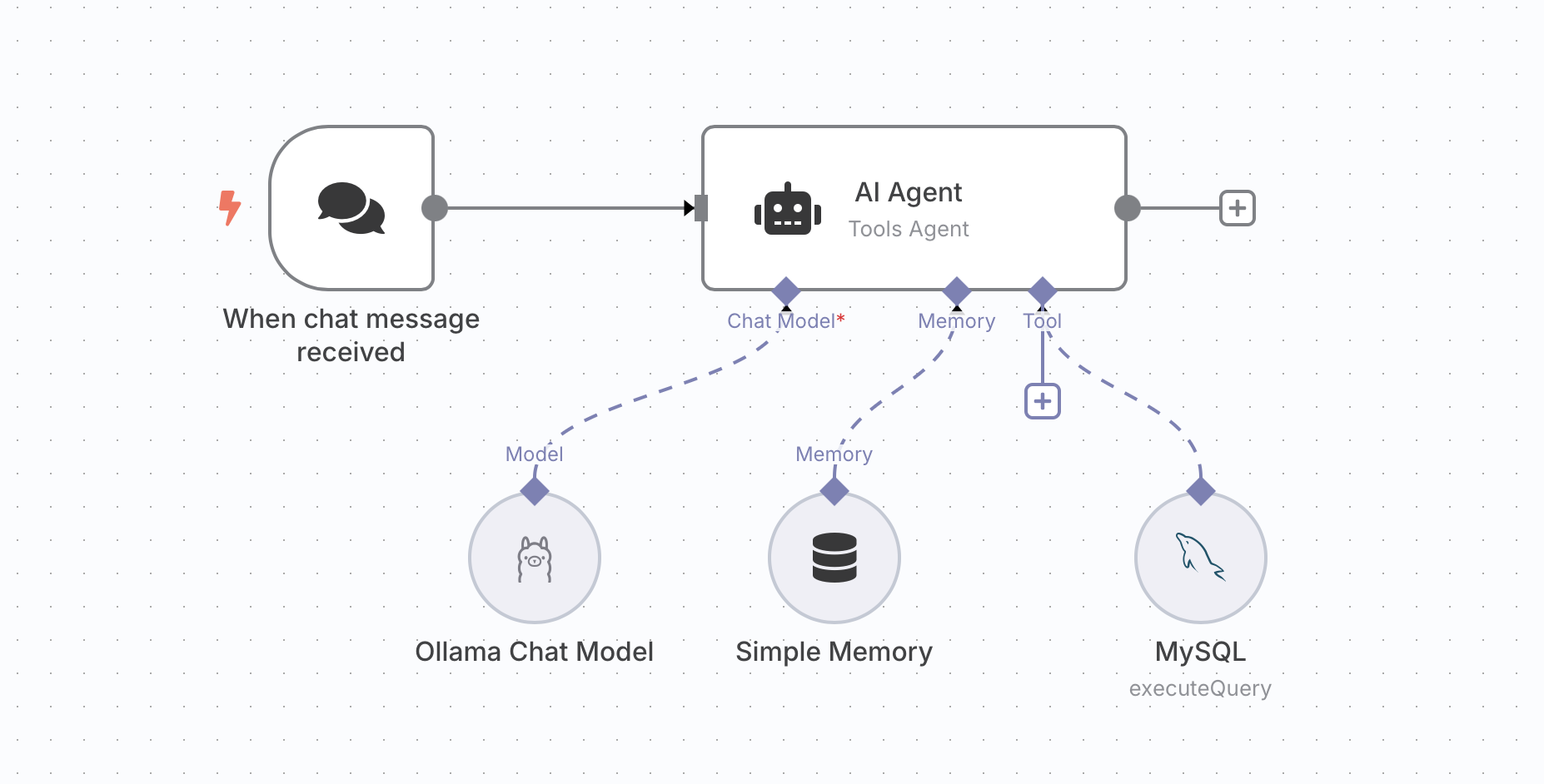
n8n provides a variety of nodes to build an AI Agent workflow. This section shows you how to build a workflow template for a chatbot to interact with a database in OceanBase Cloud. The workflow consists of five nodes, and the steps are as follows:
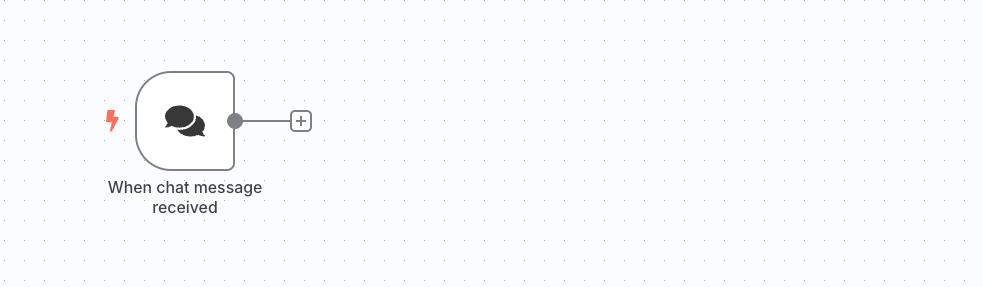
Add a trigger
Add an HTTP trigger node to receive HTTP requests.
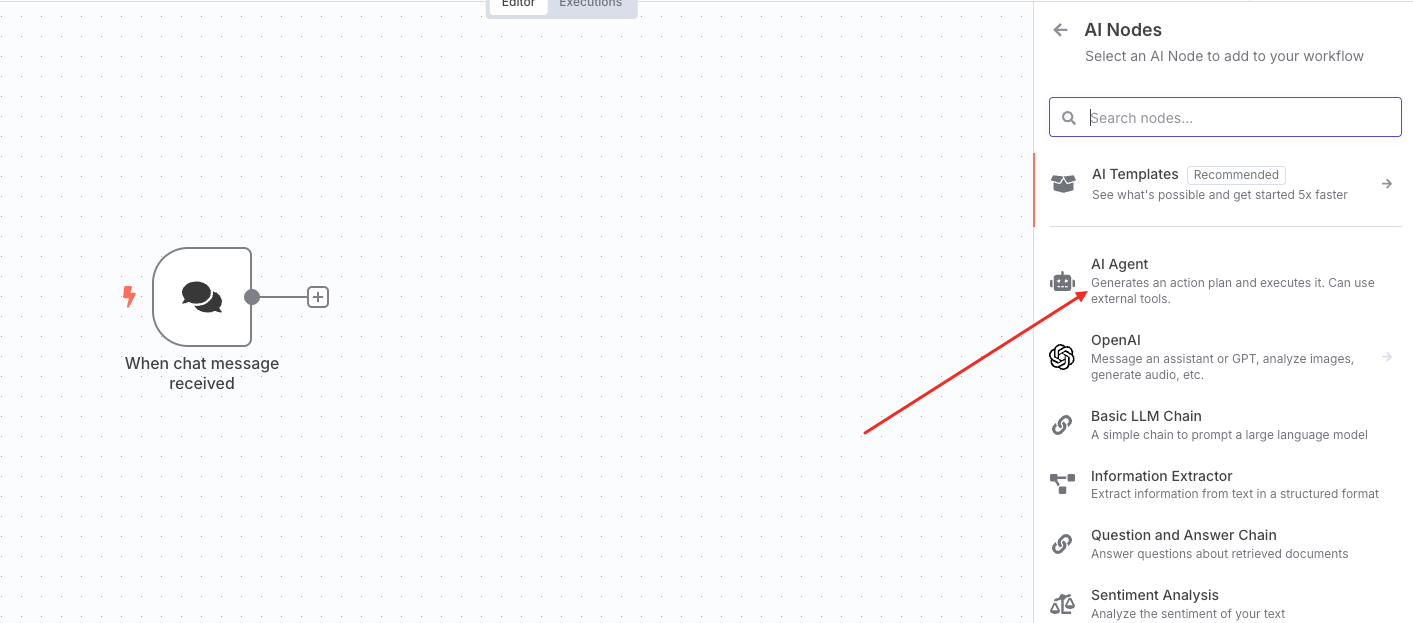
Add an AI Agent node
Add an AI Agent node to process AI Agent requests.
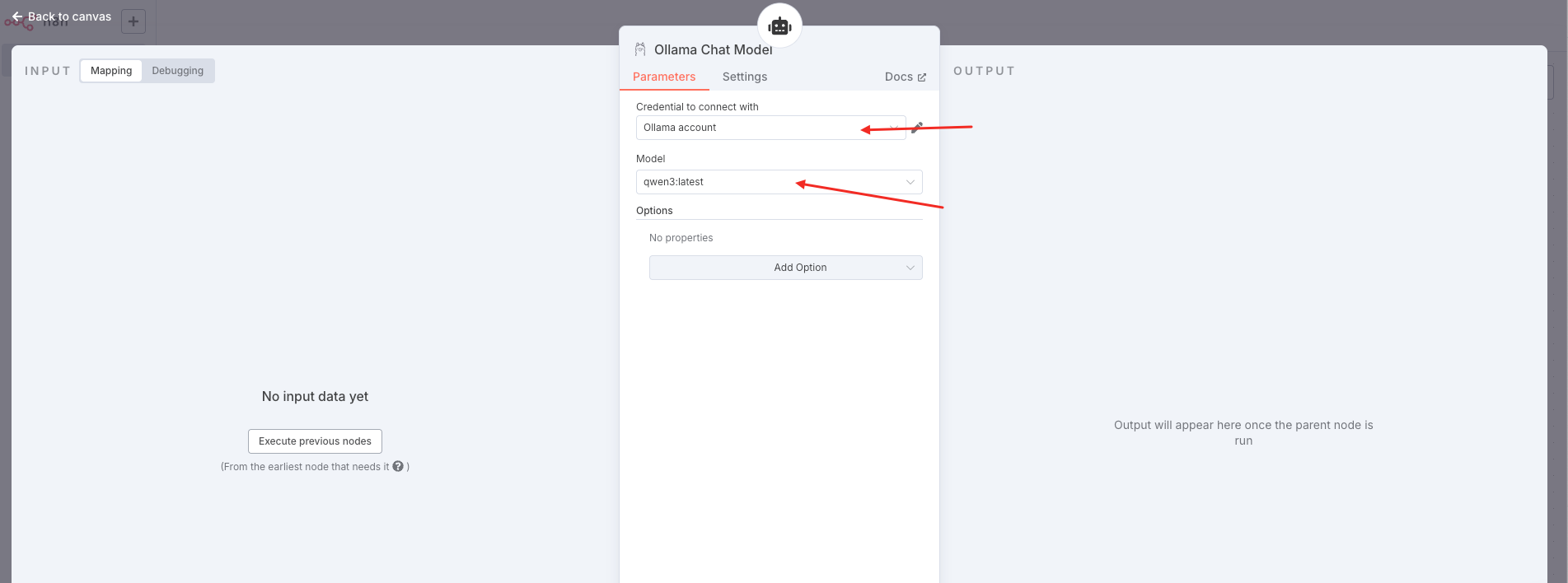
Add an Ollama Chat Model node
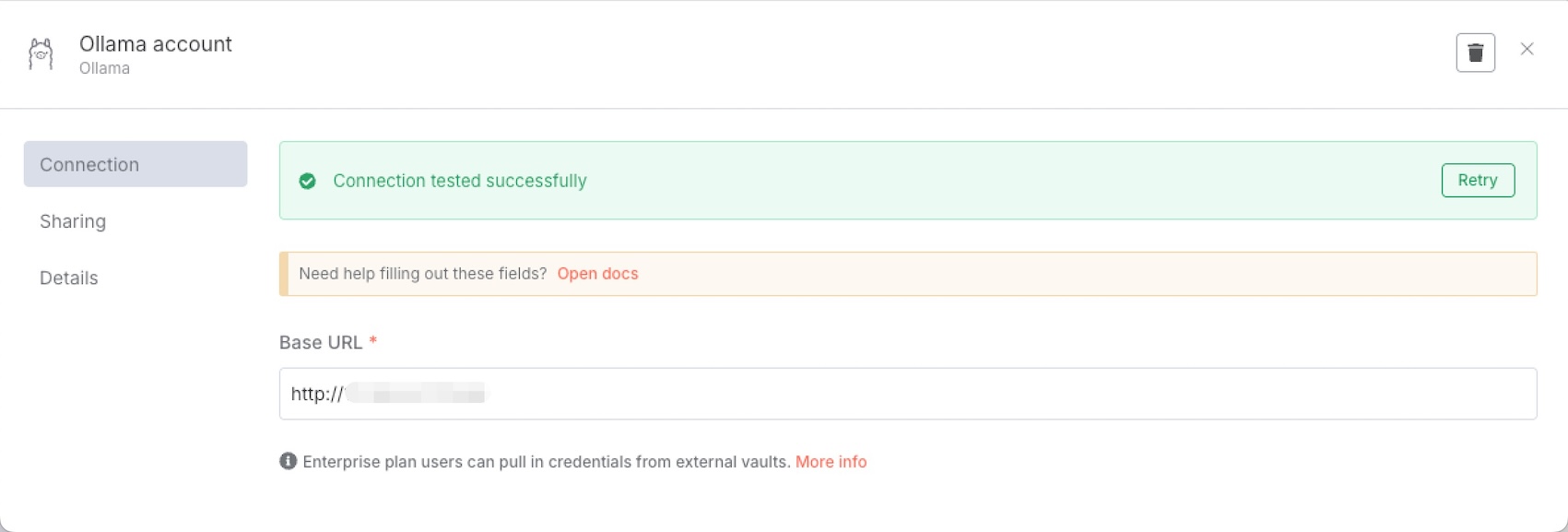
Select a free Ollama chat model, such as Qwen3, and configure the Ollama account.
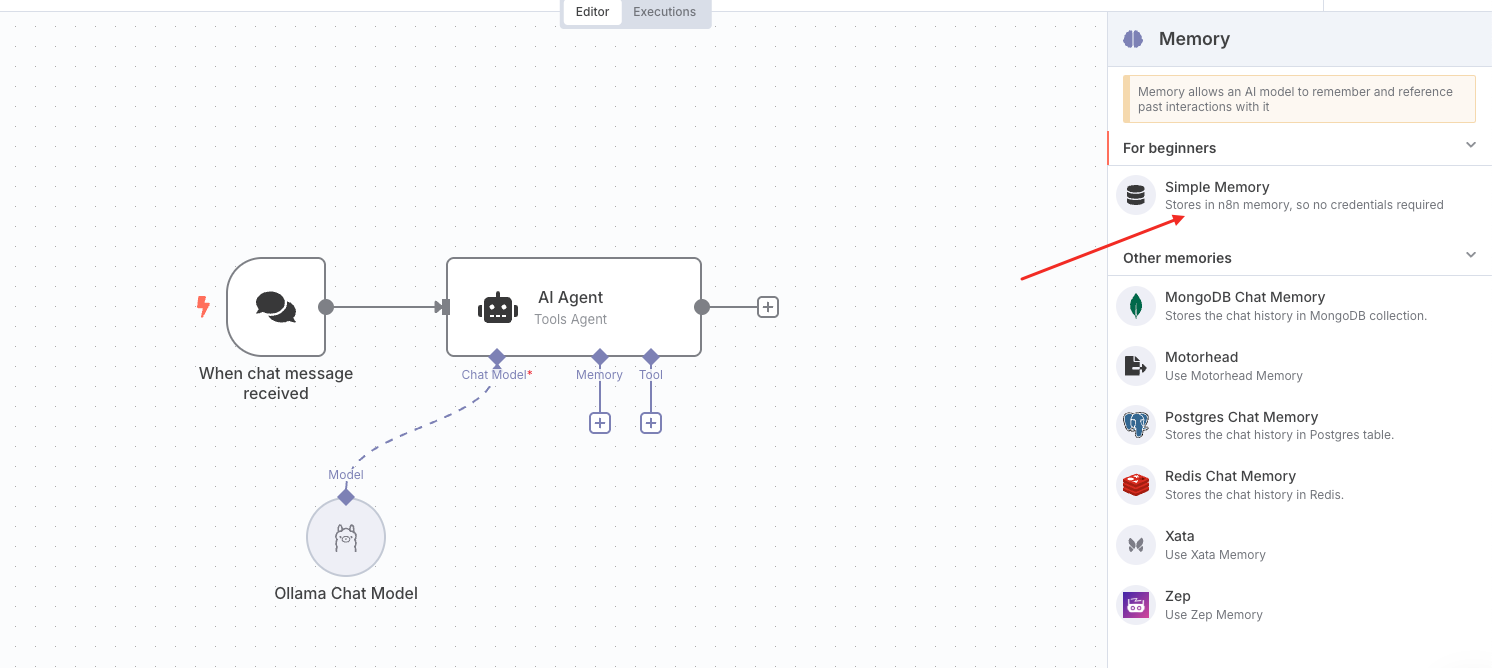
Add a Simple Memory node
The Simple Memory node indicates short-term memory and can remember the previous five interactions in the chat.
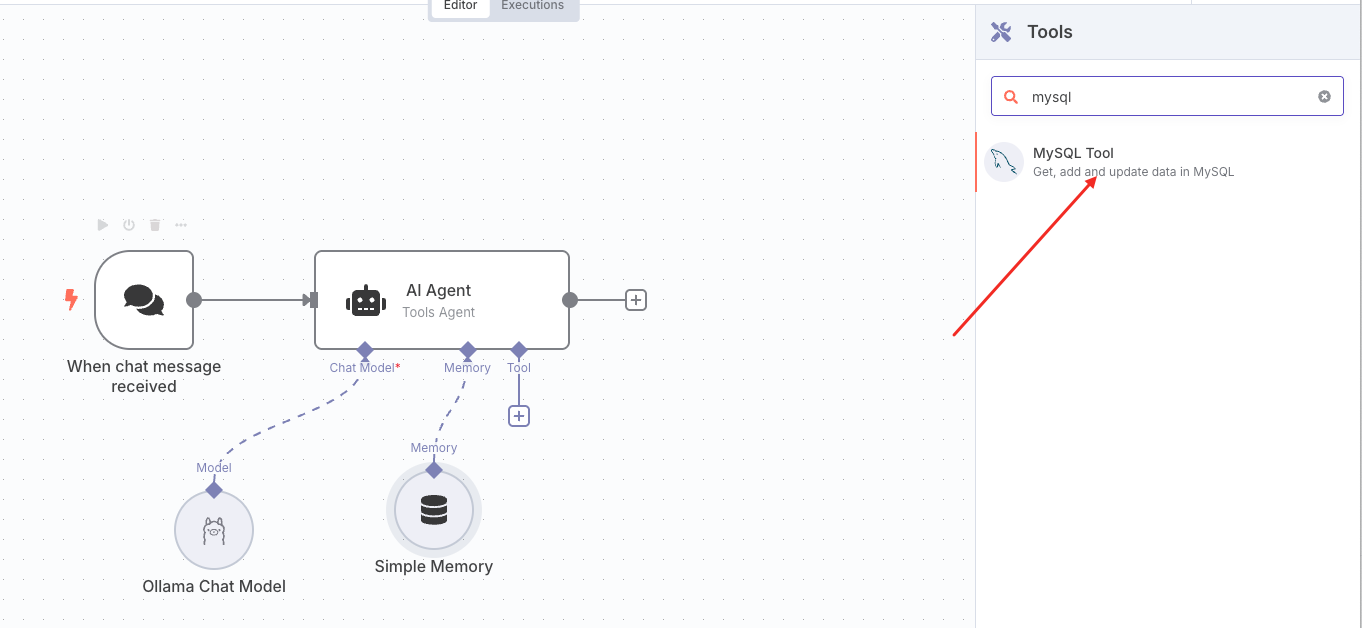
Add a Tool node
The Tool node is used to operate the database in OceanBase Cloud. Add a MySQL tool under AI Agent-tool.
Configure the MySQL tool as follows:
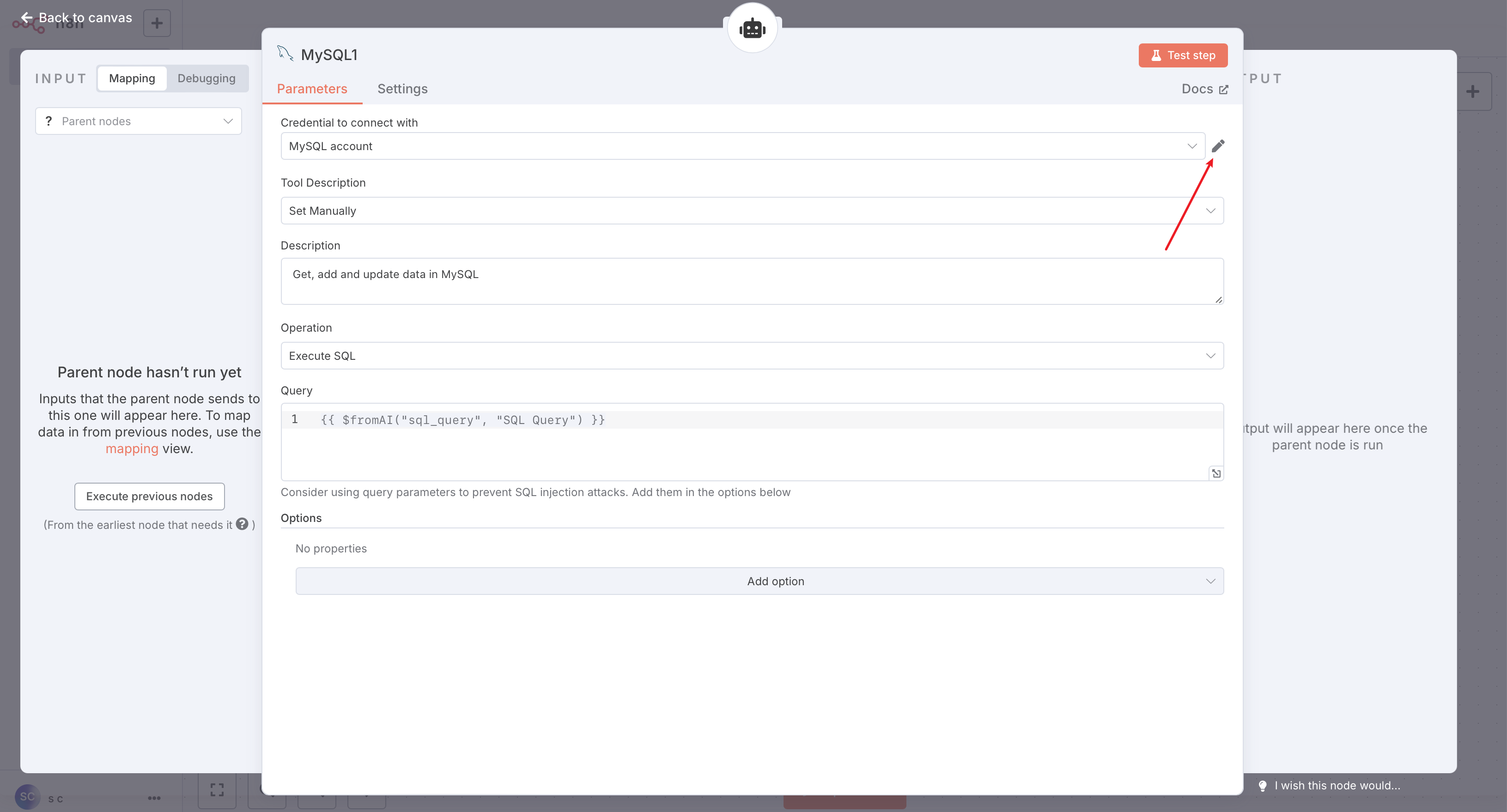
Click the edit icon shown in the preceding figure to configure the MySQL connection information.

After the configuration is completed, close the window. click Test step in the upper-right corner of the configuration panel to test the database connection with a simple SQL statement, or click Back to canvas to return to the main interface.
Click Save to complete the workflow construction.
After all 5 nodes are configured, click Save to complete the workflow construction. You can then test the workflow.
Workflow demo
The completed workflow is displayed as follows: