
Applicability
GORM is applicable to OceanBase Database in MySQL mode.
This topic describes how to use GORM and OceanBase Database to build an application that can perform basic operations such as creating tables, inserting data, and querying data.
 Download the gorm-oceanbase sample project
  Connect to OceanBase Database by using GORM
 Prerequisites
Install OceanBase Database, Go, and the corresponding driver, and make sure that the environment variables are correctly configured.
Note
The code examples in this topic are written in IntelliJ IDEA 2021.3.2 (Community Edition). You can also use your preferred tool to view the code examples.
- Install OceanBase Database.
- Install Go.
- Install the Go-SQL-Driver/MySQL driver.
Procedure
Note
The steps in this topic are generated in the Windows environment. If you are using another operating system or compiler, the steps may vary.
- (Optional) Install Go and the driver.
- Obtain the connection information of OceanBase Database.
- Modify the database connection information in the
gorm-oceanbaseproject. - Run the
gorm-oceanbaseproject.
Step 1: (Optional) Install Go and the Go-SQL-Driver/MySQL driver
If you have already installed Go and the Go-SQL-Driver/MySQL driver, you can skip this step. If not, follow the steps below.
Install Go
Download the Go installation package: You can download the installation package suitable for your operating system from the Go official website.
Note
The Go installation package used in this topic is named go1.20.6.windows-amd64.msi.
Install Go: Double-click the downloaded installation package and follow the prompts to install Go.
Configure the environment variables: Add the Go installation path to the system PATH environment variable.
In a Windows environment, you can add the Path value to
C:\usr\local\go\binin Control Panel > System and Security > System > Advanced system settings > Environment Variables > System Variables.In a Linux or macOS environment, you can edit the
~/.bashrcor~/.bash_profilefile and add the following content:export PATH=$PATH:/usr/local/go/bin
Note
\usr\local\go\binis the default installation directory. If you changed the installation directory when installing Go, replace it with the corresponding directory.Verify the installation: In the Shell command line, enter the following command to view the Go version information and verify whether the installation is successful:
C:\Users\admin\> go version
go version go1.20.6 windows/amd64
Install the Go-SQL-Driver/MySQL driver
Depending on the version of Go, you can choose different installation methods. When installing the Go-SQL-Driver/MySQL driver, you need to open the command-line terminal in the corresponding project directory. For more information about
Go-SQL-Driver/MySQL, see Github.The installation command is as follows:
C:\Users\admin\Desktop\go-oceanbase>go get -u github.com/go-sql-driver/mysql
go: downloading github.com/go-sql-driver/mysql v1.7.1
go: added github.com/go-sql-driver/mysql v1.7.1
If you cannot install the driver by using the
go getcommand due to version or network issues, you can use thego installcommand to install thego-sql-driver/mysqldriver.Clone the
go-sql-driver/mysqlrepository from GitHub to thego/srcdirectory.cd /usr/local/go/src git clone https://github.com/go-sql-driver/mysql.gitNotice
/usr/local/go/srcneeds to be replaced with the actual Go installation directory.Install the driver by using the
go installcommand.go install mysqlNotice
For some versions, the default execution directory of
go installmay not be/src. You can determine the actual directory based on the error message generated after executinggo install. For example, if the error message iscannot find package "mysql" in: /usr/local/go/src/vendor/mysql, you need to place the mysql folder in the/src/vendordirectory before executing the installation command.Check whether the Go-SQL-Driver/MySQL driver is installed. If the installation fails, modify the settings based on the error message.
go list -m github.com/go-sql-driver/mysql
Step 2: Obtain the connection information of OceanBase Database
Contact the deployment personnel or administrator of OceanBase Database to obtain the corresponding database connection information.
obclient -h{host} -u{user_name} -p****** -P{port} -D{schema_name}
The database connection string contains the parameters required to access the database. You can use the database connection string to log in to the database and verify whether the parameters are correct.
Note
The URL information in this step is required in the test.go file.
Parameter description:
host: the IP address for connecting to OceanBase Database. For ODP connection, it is the IP address of an ODP. For direct connection, it is the IP address of an OBServer node.user_name: the tenant account. For ODP connection, the common format isusername@tenant name#cluster nameorcluster name:tenant name:username. For direct connection, the format isusername@tenant name.password: the password of the account.port: the port for connecting to OceanBase Database. For ODP connection, the default port is2883, which can be customized when ODP is deployed. For direct connection, the default port is2881, which can be customized when OceanBase Database is deployed.schema_name: the name of the schema to be accessed.
Step 3: Modify the database connection information in the gorm-oceanbase project
Modify the database connection information in the test.go file based on the information obtained in Step 2: Obtain the connection information of OceanBase Database. Right-click the test.go file and select Open With. You can open the file in Notepad or other editing software.
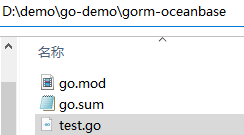
Here is an example:
- The IP address of the OBServer node is
10.10.10.1. - The access port is 2881.
- The name of the schema to be accessed is
test. - The tenant account is
root@mysql.root@mysqlis a MySQL mode user tenant created in OceanBase Database.testis the username of theroot@mysqltenant. - The password is
******.
Here is the sample code:
dsn := "root@mysql:******@tcp(10.10.10.1:2881)/test?charset=utf8mb4&parseTime=True&loc=Local"
Step 4: Run the go-oceanbase project
After you complete the code editing, open a command-line terminal in the project directory and run the following command:
PS D:\demo\go-demo\gorm-oceanbase> go run test.go
(Recommended) In Linux or macOS, you must configure a temporary environment variable before you can run the go run command.
export PATH=$PATH:/usr/local/go/bin
go run test.go
If the following content is returned, the database connection is successful and the sample statement is correctly executed:
PS D:\demo\go-demo\gorm-oceanbase> go run test.go
1
<nil>
1
{1 OceanBase 12 2022-06-01 08:00:00 +0800 CST}
<nil>
1
{1 ob 13 2023-06-01 00:00:00 +0000 UTC}
<nil>
1
1
<nil>
1
time="2023-08-09T15:55:46+08:00" level=debug msg=DropTable duration=589.2031ms

2023/08/09 15:55:47 D:/demo/go-demo/gorm-oceanbase/test.go:85 SLOW SQL >= 200ms
[336.194ms] [rows:0] DROP TABLE IF EXISTS `users` CASCADE
Project code
Click gorm-oceanbase to download the project code. The file is a compressed file named gorm-oceanbase. After decompressing the file, you will find a folder named gorm-oceanbase. The directory structure is as follows:
|-- go.mod
|-- go.sum
|-- test.go
File description:
go.mod: a Go module file that defines the module dependencies and versions of the project.go.sum: a new module management file added in Go V1.11 and later. It records the module dependencies and versions of the project, as well as the corresponding checksum.test.go: a Go source code file that contains the sample code of the project.
go.mod file
The go.mod file is used to define the module name, Go version, and dependency declarations of a project.
The go.mod file contains the following content:
module gorm-oceanbase: This is the module name of the project, which defines the project namespace. In Go 1.16 and later, the module name must match the name of the project's root directory.go 1.20: This is the required Go version for the project.require: This is the dependency declaration of the project. It specifies the third-party libraries and their version information that the project depends on. This dependency is an indirect dependency, and it is associated with another dependencygo.sum.github.com/go-sql-driver/mysql: The Go-SQL-Driver/MySQL driver, which is used to connect to and operate on a MySQL database.github.com/jinzhu/inflection: A string conversion library, which is used to convert strings to singular, plural, camel case, and other forms.github.com/jinzhu/now: A time processing library, which is used to obtain the current time, calculate the time difference, and format the time.github.com/sirupsen/logrus: A log library, which is used to record log information during program execution.golang.org/x/sys: A system library that provides some system-level operation functions and constants.golang.org/x/text: A text processing library, which is used to process Unicode strings and format numbers.gorm.io/driver/mysql: The MySQL driver of GORM, which is used to connect to and operate on a MySQL database in GORM.gorm.io/gorm: The GORM ORM framework, which is used to simplify database operations.
Sample code:
module gorm-oceanbase

go 1.20

require (
 github.com/go-sql-driver/mysql v1.7.1 // indirect
 github.com/jinzhu/inflection v1.0.0 // indirect
 github.com/jinzhu/now v1.1.5 // indirect
 github.com/sirupsen/logrus v1.9.3 // indirect
 golang.org/x/sys v0.5.0 // indirect
 golang.org/x/text v0.12.0 // indirect
 gorm.io/driver/mysql v1.5.1 // indirect
 gorm.io/gorm v1.25.2 // indirect
)
go.sum file
The go.sum file is used to define the dependency information of a project. Each dependency consists of three parts: the library name, version number, and hash value.
The go.sum file contains the following content:
github.com/sirupsen/logrus: A log library, which is used to record log information during program execution.golang.org/x/text: A text processing library, which is used to process Unicode strings and format numbers.gorm.io/driver/mysql: The MySQL driver of GORM, which is used to connect to and operate on a MySQL database in GORM.gorm.io/gorm: The GORM ORM framework, which is used to simplify database operations.
Note
The go.sum file may contain different dependencies based on the running environment. Please download the required dependencies based on the execution instructions.
Sample code:
github.com/sirupsen/logrus v1.9.3 h1:dueUQJ1C2q9oE3F7wvmSGAaVtTmUizReu6fjN8uqzbQ=
github.com/sirupsen/logrus v1.9.3/go.mod h1:naHLuLoDiP4jHNo9R0sCBMtWGeIprob74mVsIT4qYEQ=
golang.org/x/text v0.12.0 h1:k+n5B8goJNdU7hSvEtMUz3d1Q6D/XW4COJSJR6fN0mc=
golang.org/x/text v0.12.0/go.mod h1:TvPlkZtksWOMsz7fbANvkp4WM8x/WCo/om8BMLbz+aE=
gorm.io/driver/mysql v1.5.1 h1:WUEH5VF9obL/lTtzjmML/5e6VfFR/788coz2uaVCAZw=
gorm.io/driver/mysql v1.5.1/go.mod h1:Jo3Xu7mMhCyj8dlrb3WoCaRd1FhsVh+yMXb1jUInf5o=
gorm.io/gorm v1.25.2 h1:gs1o6Vsa+oVKG/a9ElL3XgyGfghFfkKA2SInQaCyMho=
gorm.io/gorm v1.25.2/go.mod h1:L4uxeKpfBml98NYqVqwAdmV1a2nBtAec/cf3fpucW/k=
test.go code
The test.go file defines how to use the Go-SQL-Driver/MySQL driver to connect to a MySQL database and perform database operations using the APIs provided by GORM. The test.go file contains the following content:
Define the
mainpackage.package mainindicates that this is a package for an executable program. This package contains amain()function, which will be executed when the program runs.Define the
importpackage.The
importstatement imports the following packages:fmt: provides functions for formatted input and output. It defines a set of functions for formatting data into strings and outputting them to the console or other devices.time: provides some functions and types related to time.os: provides some functions and types related to the operating system.gorm.io/driver/mysql: a MySQL database driver for connecting to and operating a MySQL database.gorm.io/gorm: maps Go language structures to database tables and provides some query and operation methods for the database.golang.org/x/text/transform: provides some basic text processing functions, such as character set conversion and Unicode processing.github.com/sirupsen/logrus: provides some functions for log output and formatting.
Code:
import (
  "fmt"
  "time"
  "os"
  "gorm.io/driver/mysql"
  "gorm.io/gorm"
  "golang.org/x/text/transform"
  "github.com/sirupsen/logrus"
)
Define the
Userstructure.Defines a
Userstructure to represent the basic information of a user. It contains four fields: the unique identifierID, the nameName, the ageAge, and the birthdayBirthday.Code:
type User struct {
ID       int
Name     string
Age      int
Birthday time.Time

}
Define the
transformStringfunction. Defines atransformStringfunction to convert a string to a specified encoding format. It accepts two parameters:strandencoder. The function uses thetransform.Stringfunction to convert the string to the specified encoding format. If an error occurs during the conversion, the original string is returned. Finally, the function returns the converted string or the original string.Code:
func transformString(str string, encoder transform.Transformer) string {
    result, _, err := transform.String(encoder, str)
    if err != nil {
        return str
    }
    return result
}
Define the
mainfunction.The
mainfunction creates users, updates user information, queries user information, and deletes users. It also useslogrusto output corresponding debug logs to the console.Initialize
logrus.Initializes the
logruspackage for log output. Sets the log output format to text, the log level toDebug, and outputs to the standard output stream.Code:
logrus.SetFormatter(&logrus.TextFormatter{})
logrus.SetLevel(logrus.DebugLevel)
logrus.SetOutput(os.Stdout)
Connect to the database.
Defines a string variable named
dsnthat contains the information required to connect to the MySQL database, including the username, password, host address, port number, database name, and character set. Calls thegorm.Openfunction to connect to the MySQL database, passing in thedsnvariable and agorm.Configparameter. Returns a connection object. If an error occurs during the connection, the error message is output, and the program exits.Code:
dsn := "user_name:******@tcp(host:port)/schema_name?charset=utf8mb4&parseTime=True&loc=Local"
db, err := gorm.Open(mysql.Open(dsn), &gorm.Config{})
if err != nil {
    fmt.Println(err.Error())
    return
}
Perform database operations.
Uses the
gorm.DBobject to perform database operations, including automatic migration, inserting data, querying data, updating data, and deleting data. The specific process is as follows:- Calls the
db.AutoMigratefunction to automatically migrate the table corresponding to theUserstructure. If the table does not exist, it creates the table. Uses thedeferkeyword and thedb.Migrator().DropTablefunction to delay the deletion of theuserstable, which is deleted when the program ends. - Creates a
Userstructure instance nameduserand inserts it into the database. - Queries the user with ID 1 and outputs the query result.
- Updates the information of the user with ID 1 and saves it to the database.
- Deletes the user with ID 1 and outputs the deletion result.
Code:
db.AutoMigrate(&User{}) defer db.Migrator().DropTable("users") // Records the start time start := time.Now() // Creates a User structure instance named user and inserts it into the database. user := User{Name: "OceanBase", Age: 12, Birthday: time.Date(2022, 06, 01, 00, 00, 00, 00, time.UTC)} result := db.Create(&user) fmt.Println(user.ID) fmt.Println(result.Error) fmt.Println(result.RowsAffected) // Queries the user with ID 1 and outputs the query result. user = User{ID: 1} result = db.First(&user) fmt.Println(user) fmt.Println(result.Error) fmt.Println(result.RowsAffected) // Updates the information of the user with ID 1 and saves it to the database. user = User{ID: 1, Name: "ob", Age: 13, Birthday: time.Date(2023, 06, 01, 00, 00, 00, 00, time.UTC)} result = db.Save(&user) fmt.Println(user) fmt.Println(result.Error) fmt.Println(result.RowsAffected) // Deletes the user with ID 1 and outputs the deletion result. user = User{ID: 1} result = db.Delete(&user) fmt.Println(user.ID) fmt.Println(result.Error) fmt.Println(result.RowsAffected)- Calls the
Output logs.
Calls the
time.Sincefunction to calculate the program runtime, calls thelogrus.WithFieldsfunction to create a logger with fields, and calls theDebugfunction to output log information.Code:
logrus.WithFields(logrus.Fields{
    "duration": time.Since(start),
    }).Debug("DropTable")
Full code
module gorm-oceanbase

go 1.20

require (
 github.com/go-sql-driver/mysql v1.7.1 // indirect
 github.com/jinzhu/inflection v1.0.0 // indirect
 github.com/jinzhu/now v1.1.5 // indirect
 github.com/sirupsen/logrus v1.9.3 // indirect
 golang.org/x/sys v0.5.0 // indirect
 golang.org/x/text v0.12.0 // indirect
 gorm.io/driver/mysql v1.5.1 // indirect
 gorm.io/gorm v1.25.2 // indirect
)
github.com/sirupsen/logrus v1.9.3 h1:dueUQJ1C2q9oE3F7wvmSGAaVtTmUizReu6fjN8uqzbQ=
github.com/sirupsen/logrus v1.9.3/go.mod h1:naHLuLoDiP4jHNo9R0sCBMtWGeIprob74mVsIT4qYEQ=
golang.org/x/text v0.12.0 h1:k+n5B8goJNdU7hSvEtMUz3d1Q6D/XW4COJSJR6fN0mc=
golang.org/x/text v0.12.0/go.mod h1:TvPlkZtksWOMsz7fbANvkp4WM8x/WCo/om8BMLbz+aE=
gorm.io/driver/mysql v1.5.1 h1:WUEH5VF9obL/lTtzjmML/5e6VfFR/788coz2uaVCAZw=
gorm.io/driver/mysql v1.5.1/go.mod h1:Jo3Xu7mMhCyj8dlrb3WoCaRd1FhsVh+yMXb1jUInf5o=
gorm.io/gorm v1.25.2 h1:gs1o6Vsa+oVKG/a9ElL3XgyGfghFfkKA2SInQaCyMho=
gorm.io/gorm v1.25.2/go.mod h1:L4uxeKpfBml98NYqVqwAdmV1a2nBtAec/cf3fpucW/k=
package main

import (
  "fmt"
  "time"
  "os"
  "gorm.io/driver/mysql"
  "gorm.io/gorm"
    "golang.org/x/text/transform"
    "github.com/sirupsen/logrus"
)

type User struct {
  ID       int
  Name     string
  Age      int
  Birthday time.Time

}

// Convert a string to the specified encoding format.
func transformString(str string, encoder transform.Transformer) string {
    result, _, err := transform.String(encoder, str)
    if err != nil {
        return str
    }
    return result
}

func main() {

      // Initialize logrus.
      logrus.SetFormatter(&logrus.TextFormatter{})
      logrus.SetLevel(logrus.DebugLevel)
      logrus.SetOutput(os.Stdout)

  dsn := "user_name:******@tcp(host:port)/schema_name?charset=utf8mb4&parseTime=True&loc=Local"

  db, err := gorm.Open(mysql.Open(dsn), &gorm.Config{})
  if err != nil {
    fmt.Println(err.Error())
    return

  }

  db.AutoMigrate(&User{})
  defer db.Migrator().DropTable("users")

  // Record the start time.
  start := time.Now()

  user := User{Name: "OceanBase", Age: 12, Birthday: time.Date(2022, 06, 01, 00, 00, 00, 00, time.UTC)}
  result := db.Create(&user)
  fmt.Println(user.ID)
  fmt.Println(result.Error)
  fmt.Println(result.RowsAffected)

  user = User{ID: 1}
  result = db.First(&user)
  fmt.Println(user)
  fmt.Println(result.Error)
  fmt.Println(result.RowsAffected)

  user = User{ID: 1, Name: "ob", Age: 13, Birthday: time.Date(2023, 06, 01, 00, 00, 00, 00, time.UTC)}
  result = db.Save(&user)
  fmt.Println(user)
  fmt.Println(result.Error)
  fmt.Println(result.RowsAffected)

  user = User{ID: 1}
  result = db.Delete(&user)
  fmt.Println(user.ID)
  fmt.Println(result.Error)
  fmt.Println(result.RowsAffected)

  // Output logs.
  logrus.WithFields(logrus.Fields{
      "duration": time.Since(start),
    }).Debug("DropTable")

}
References
For more information about Go-SQL-Driver/MySQL, see Go-SQL-Driver/MySQL in the OceanBase Database open-source community.