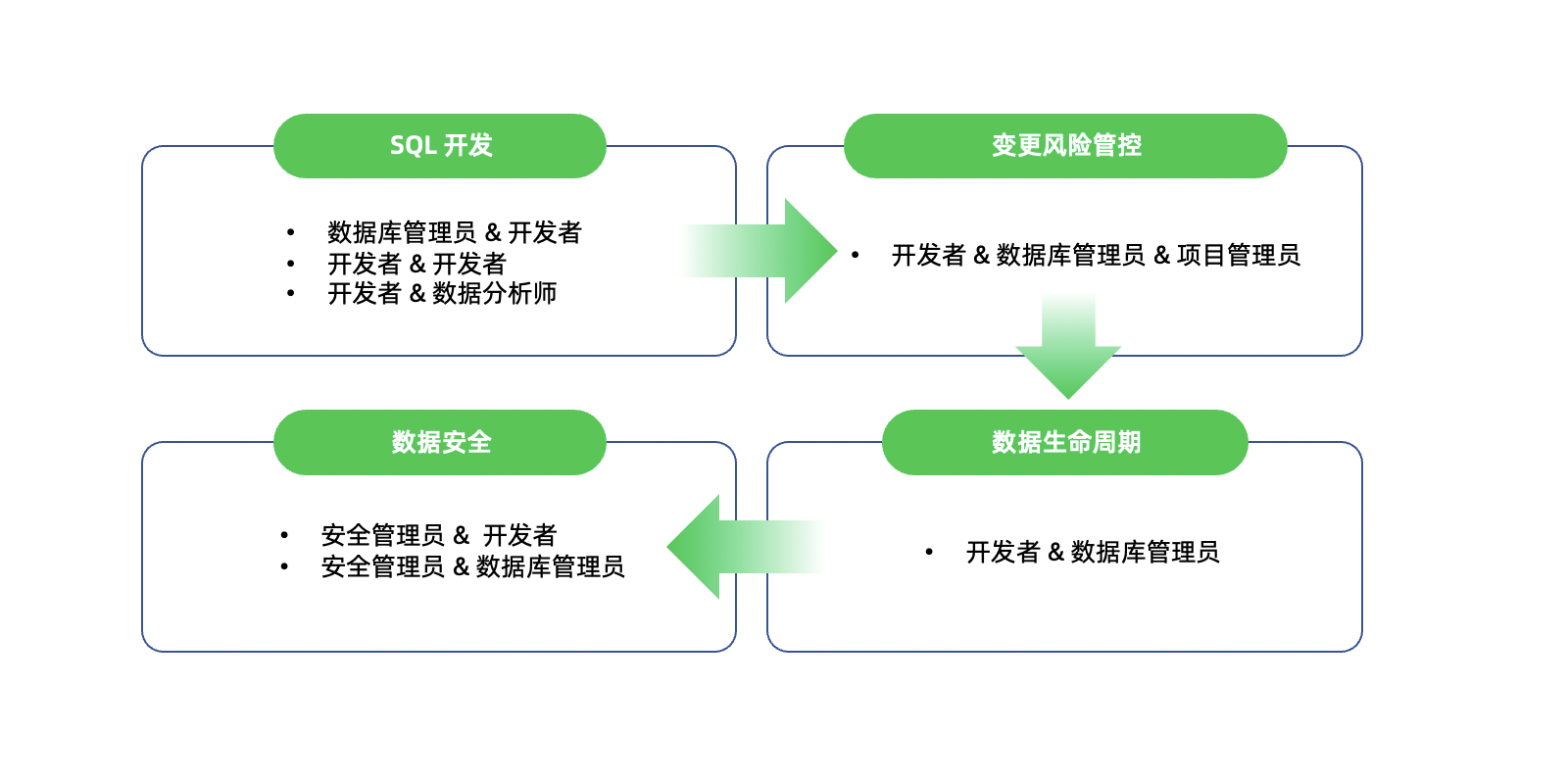
OceanBase Developer Center (ODC) is a graphical database development tool and a collaborative management platform for data development and production changes. ODC comes in two product forms: a desktop client and a web version. The desktop client focuses on database development capabilities, supports Windows, macOS, and Linux operating systems, and is lightweight and easy to deploy. The web version provides both tool capabilities and management and collaboration features, emphasizing the security, compliance, and efficiency of database changes.
ODC Web provides two workspace modes: Individual Workspace and Team Workspace. Individual Workspace is suitable for individual developers, offering a desktop-like experience in your browser. You can freely access and create data sources, and use various windows and tools provided by the platform for database development. Team Workspace is designed for collaboration between developers and DBAs, serving as both a development tool and a management and collaboration platform. Through features like project collaboration and hot/cold data separation, ODC provides a one-stop service for database development and management.
Features
Efficient development
ODC offers a rich set of user-friendly tools to help you develop databases efficiently. These include database object management, data import/export, SQL editing and execution, PL compilation and debugging, data and schema processing, execution analysis, and database O&M. To enhance the user experience, ODC also supports features such as drag-and-drop object generation of SQL statements, Excel-like result set editing interaction, syntax highlighting and SQL auto-completion during editing, code snippet definition and reference, and quick test data generation.

Change risk management
ODC provides a comprehensive solution for production security scenarios. Database addresses and account credentials are entered by the DBA and authorized for developer access, preventing credential leakage. ODC offers well-defined database development specifications, allowing you to flexibly define SQL check rules and SQL window blocking rules based on different environments. Depending on the risk level, your operations may receive suggestions, require escalation to a DBA for approval, or be blocked, thereby controlling change risks and ensuring the stable operation of production systems.

Security and compliance
ODC provides data desensitization and fine-grained auditing capabilities to ensure data security and compliance. With built-in advanced desensitization algorithms and flexible identification rules, ODC safeguards sensitive data in scenarios such as SQL window access and data export, meeting privacy and security compliance requirements. ODC also supports operation auditing and SQL auditing. All functional operations performed in ODC are synchronized to the operation records center, and all SQL requests initiated in ODC are recorded.

Data lifecycle management
ODC provides data lifecycle management capabilities to offer data processing solutions. These capabilities include data cleanup, data archiving, and partition planning. Through data cleanup, you can regularly purge expired data from business tables, reducing the size of online databases. Through data archiving, you can configure flexible archiving conditions to separate hot and cold data. Through partition planning, you can regularly add and drop partitions as needed to automatically maintain RANGE partitions.

Open integration
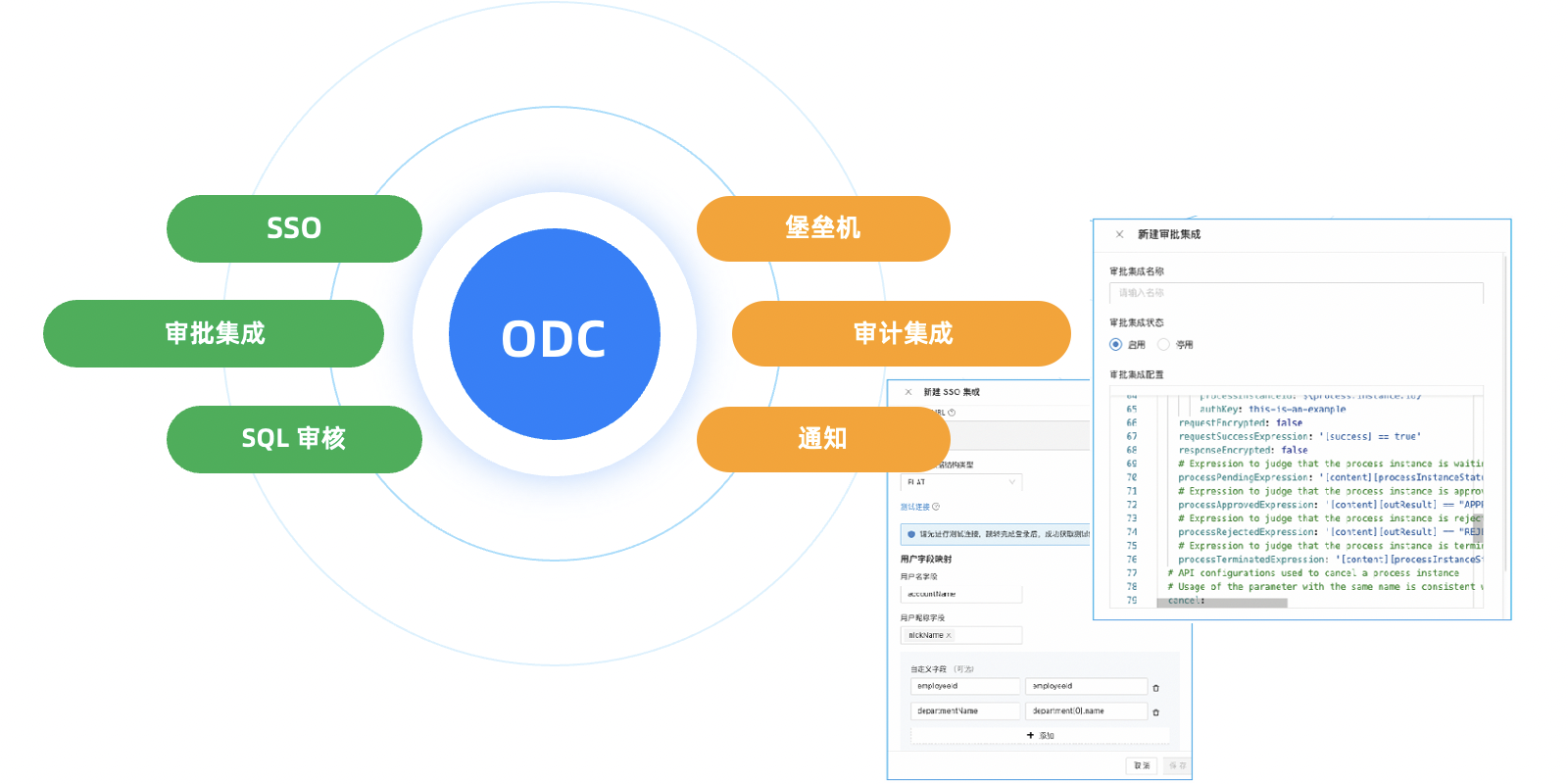
ODC supports single sign-on (SSO), ticket approval integration, SQL review integration, and database bastion host integration. SSO supports the OAuth2 and OIDC protocols. Ticket approval integrates with BPMS and custom approval systems. SQL review integration allows you to use your enterprise's existing SQL review platform to audit SQL statements. Database bastion host integration supports capabilities such as authentication based on one-time tokens and automatic filling of database credentials.
Collaboration efficiency
ODC provides a series of features and design concepts to enhance your efficiency. The batch import capability eliminates the need for tedious manual entry of individual records. The Project OWNER manages all databases and members in the project, the Project DBA manages all databases, and the Project DEVELOPER focuses on accessing all project databases. To enable team collaboration, you only need to add collaborators to the specified project without configuring complex permissions. By configuring automatic authorization rules, visitors are automatically granted permissions when they meet the specified authorization conditions.