
This topic describes how to switch the deployment mode of an instance.
Background information
Switching the instance deployment mode can change the number of full-featured replicas and the zones where they run.
Considerations
For Alibaba Cloud instances, when the same database proxy cluster has both an original private connection address and a Private Link endpoint, you cannot switch the database cluster deployment mode. First switch your applications to the Private Link endpoint, then delete the original private connection address after verifying that it is no longer in use. For more information about migration, see MySQL mode guide and Oracle mode guide.
Switching the deployment mode may cause a few seconds of service interruption. We recommend that you avoid switching during peak hours.
After the deployment mode is switched, the monitoring information of the nodes that are taken offline is lost.
If your Alibaba Cloud or AWS instance lets you configure the proxy deployment mode, check whether the new instance deployment mode includes the zones where the proxy nodes run. For instructions on moving proxy nodes, see Manage database proxy.
The switch fails if the target zones do not include the primary proxy node's zone. Before switching, go to Database Proxy > Change configuration and move the primary node to one of the target zones.
If the target zones include the primary proxy node's zone but exclude a standby node's zone, the system assigns that standby node to one of the target zones during the switch.
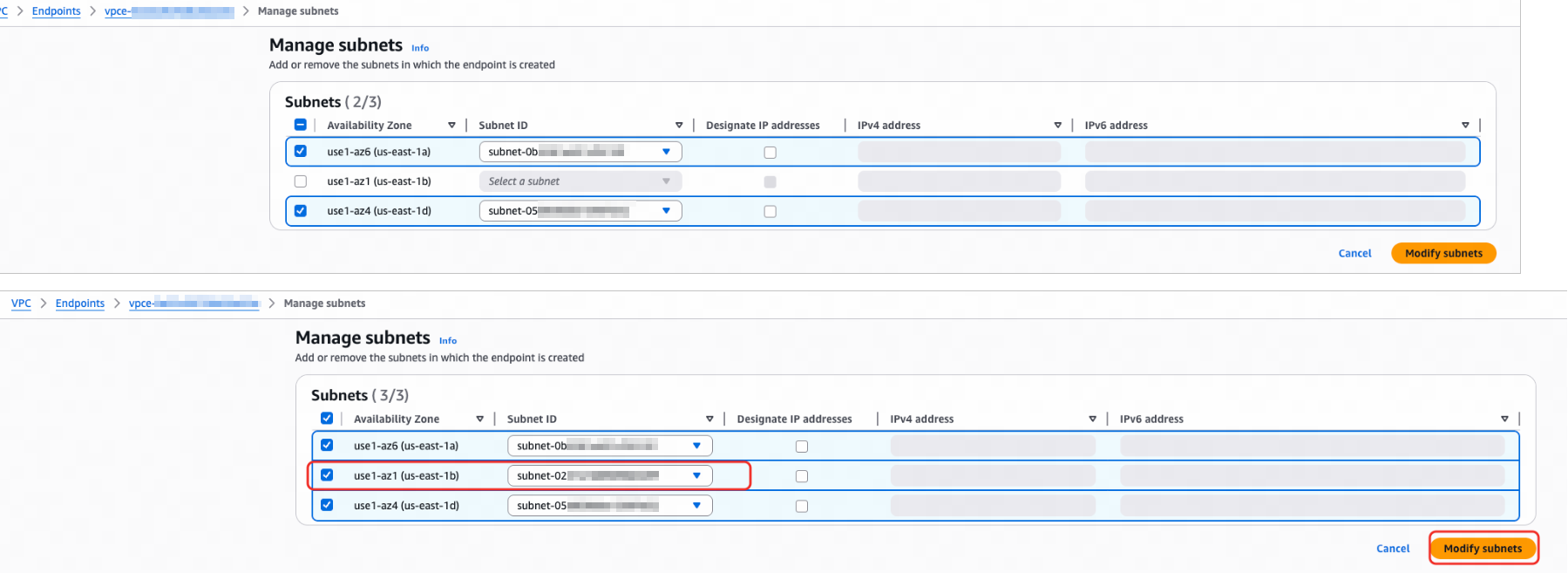
If your application uses a Private Link endpoint and the switch changes the zones used by the proxy cluster, we recommend checking the endpoint configuration after the switch and testing the connection from the application. For an AWS instance, open its VPC endpoints in the AWS console and check that their subnets cover the zones your application needs.
Prerequisites
Before you switch the deployment mode, make sure that the following conditions are met:
The instance is in the Running state.
All tenants in the instance are in the Running state.
The database version of the instance is V3.x or later.
The instance is charged on a pay-as-you-go basis.
You have the organization admin or billing admin permissions.
Procedure
Log in to the OceanBase Cloud console.
In the left-side navigation pane, click Instances.
In the instance list, click Switch Deployment Mode in the Actions column of the target instance.
Select the deployment mode and the zones to switch to.
Note
When switching the instance deployment mode, you do not need to select the database proxy's deployment mode separately. For more information, see Deployment modes and Billing overview.
In the right-side Summary section, verify the billing information, check the service agreement, and click Confirm Order.
What to do next
You can view the execution result in the Events > historical Events page.
After the deployment mode is switched, you can go to the Overview page of the instance to view the current deployment mode of the instance.