
This topic describes how to upgrade the OceanBase CDC library.
Background information
Different versions of OceanBase Database may require corresponding CDC libraries to pull incremental logs. The Store component of OMS Community Edition pulls incremental data from OceanBase Database by loading a CDC dynamic library.
The following table describes the OceanBase CDC library directories for the Store component of OMS Community Edition under /home/ds/lib64/reader.
OceanBase CDC library directory for the Store component |
OceanBase Database version range |
|---|---|
| ob-ce-reader | Cannot be upgraded |
| ob-ce-4.x-reader | OceanBase Database V4.0.0 through V4.2.1 |
| ob-ce-4.2.2-reader | OceanBase Database V4.2.2 through V4.3.0 |
| ob-ce-4.3-reader | OceanBase Database V4.3.0 and later |
Procedure
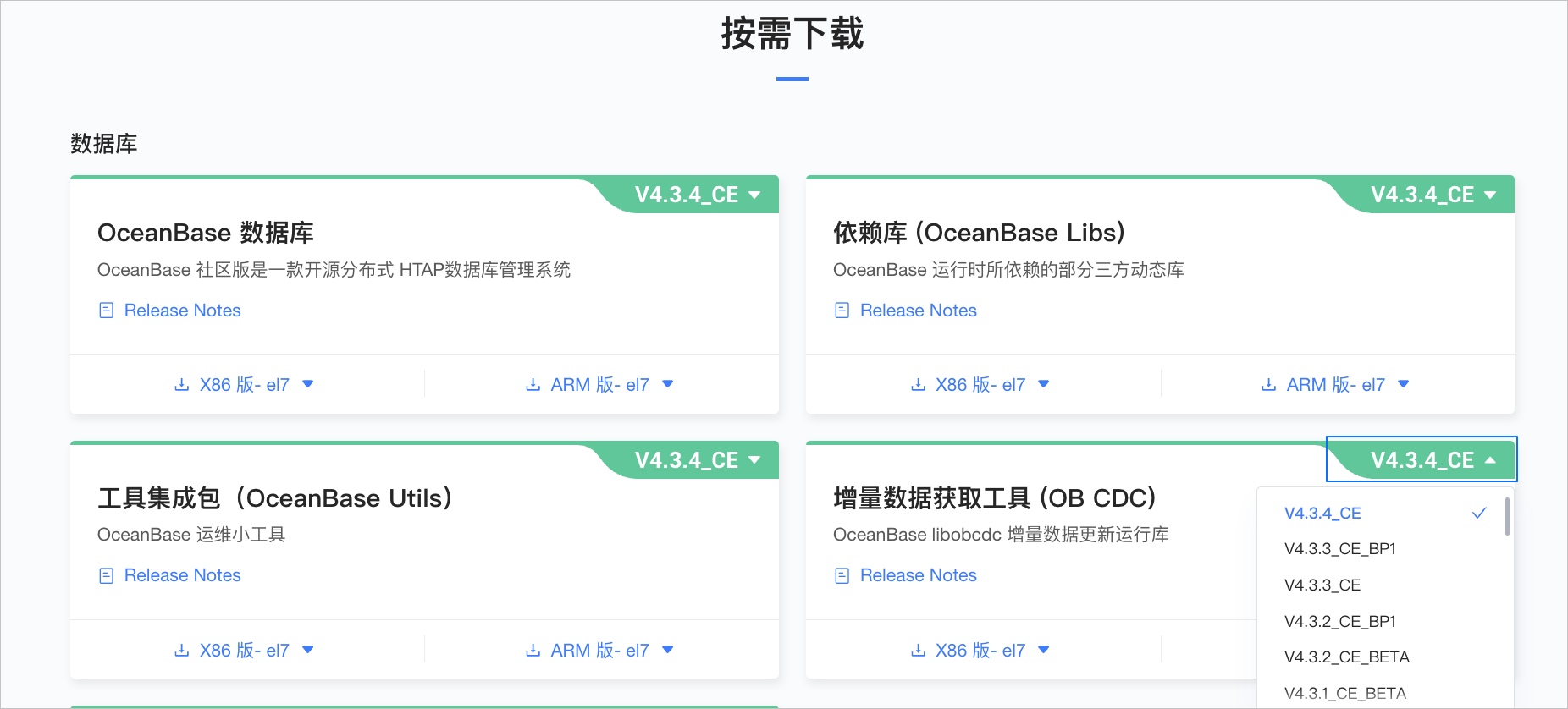
Download the CDC RPM package: Incremental Data Capture (OB CDC).
Click the version number in the upper-right corner and select the CDC package that corresponds to your OceanBase Database version.
Decompress the RPM package:
rpm2cpio oceanbase-ce-cdc-x.x.x.x-xxxx.el7.x86_64.rpm|cpio -idmu --quiet.Note
OMS Community Edition supports only the x86 build for el7.
After decompression, the following files appear in
./home/admin/oceanbase/lib64under the current directory:libobcdc.so.x.x.x.x libobcdc.so.x -> libobcdc.so.x.x.x.x libobcdc.so -> libobcdc.so.xEnter the OMS Community Edition container and run the
cdcommand to go to/home/ds/lib64/reader. Then, based on the OceanBase Database version, enter the correspondingob-ce-xxx-readerdirectory listed in the preceding table.Back up the original files in the
ob-ce-xxx-readerdirectory.Copy the files from
./home/admin/oceanbase/lib64in the decompressed RPM package to theob-ce-xxx-readerdirectory.
After you complete the preceding steps, newly created Store components use the upgraded CDC library. To upgrade an existing Store component, perform the following steps:
Go to the runtime directory of the Store component,
/home/ds/store/store{port}/lib64/reader. Its directory structure is the same as that of/home/ds/lib64/reader.Copy the files from
./home/admin/oceanbase/lib64in the decompressed RPM package to/home/ds/store/store{port}/lib64/reader/ob-ce-xxx-reader.In the OMS Community Edition console, pause the Store component. For more information, see Pause a Store component.
Run the following command to confirm that the Store process has stopped. If it has not stopped, you can run
kill -9.ps -ef|grep store{port}In the OMS Community Edition console, start the Store component.