OceanBase
English日本語简体中文
Docs Home
Products
Integrations
Release Notes

Databases

OceanBase DatabaseOceanBase Cloud OceanBase Best Practices

Tools

OceanBase Cloud PlatformOceanBase Migration ServiceOceanBase Developer CenterOceanBase Migration AssessmentOceanBase Admin ToolOceanBase Loader and DumperOceanBase DeployerKubernetes operator for OceanBaseOceanBase Diagnostic Tool OceanBase Binlog Service

Connectors and Middleware

OceanBase Database Proxy OceanBase Connector/C OceanBase Connector/J OceanBase Connector/ODBC OceanBase Connector/NETOceanBase Command-Line Client

Databases

OceanBase DatabaseOceanBase Cloud OceanBase Best Practices

Connectors and Middleware

OceanBase Database Proxy OceanBase Connector/C OceanBase Connector/J OceanBase Connector/ODBC OceanBase Connector/NETOceanBase Command-Line Client

Tools

OceanBase Cloud PlatformOceanBase Migration ServiceOceanBase Developer CenterOceanBase Migration AssessmentOceanBase Admin ToolOceanBase Loader and DumperOceanBase DeployerKubernetes operator for OceanBaseOceanBase Diagnostic Tool OceanBase Binlog Service
OceanBase DatabaseOceanBase Cloud ToolsConnectors and MiddlewareLifecycle Support Policy

OceanBase Developer Center

V4.2.3
  • Overview
    • What is ODC?
    • Features
    • Architecture
    • Limitations
    • ODC console
  • Quick Start
    • Client ODC
      • Overview
      • Install Client ODC
      • Use Client ODC
    • Web ODC
      • Overview
      • Deploy Web ODC
      • Use Web ODC
  • Data Source Management
    • Create a data source
    • Data sources and project collaboration
    • Database O&M
      • Session management
      • Global variable management
      • Recycle bin management
  • SQL Development
    • Write and execute SQL statements
    • Perform PL compilation and debugging
    • Use the command-line window
    • Edit and export the result set of an SQL statement
    • Analyze SQL statements
    • Generate test data
    • Database objects
      • Table objects
        • Overview
        • Create a table
        • Table list
        • Manage table attributes
        • Manage table data
      • View objects
        • Overview
        • Create a view
        • Manage views
      • Function objects
        • Overview
        • Create a function
        • Manage functions
      • Stored procedure objects
        • Overview
        • Create a stored procedure
        • Manage stored procedures
      • Sequence objects
        • Overview
        • Create a sequence
        • Manage sequences
      • Package objects
        • Overview
        • Create a program package
        • Manage program packages
      • Trigger objects
        • Overview
        • Create a trigger
        • Manage triggers
      • Type objects
        • Overview
        • Create a type
        • Manage types
      • Synonym objects
        • Overview
        • Create a synonym
        • Manage synonyms
  • Import and Export
    • Import schemas and data
    • Export schemas and data
  • Database Change Management
    • User Permission Management
      • Users and roles
      • Automatic authorization
    • Project collaboration management
    • Risk levels, risk identification rules, and approval processes
    • SQL check specifications
    • SQL window specification
    • Database change management
    • Lock-free schema changes
    • Synchronize shadow tables
  • Data Lifecycle Management
    • Archive data
    • Clean up data
    • Manage partitions
    • SQL plan task
  • Data Desensitization and Auditing
    • Desensitize data
    • Operation records
  • System Integration
    • SSO integration
    • Approval integration
    • SQL approval integration
  • Deployment Guide
    • Deployment overview
    • Preparations before deployment
    • Deploy a single ODC node
      • Deployment process
      • Load and run an ODC image
    • Deploy ODC in high availability mode
      • Deployment process
      • Load and run an ODC image
      • Deploy SSL certificate
      • Deploy the NGINX proxy
      • Configure certificate trust
    • Deployment verification
  • Upgrade Guide
    • Overview
    • Preparations before upgrade
    • Upgrade single-node ODC
      • Upgrade process
      • Stop ODC of the earlier version
      • Load and run an ODC image
    • Upgrade high-availability
      • Upgrade process
      • Stop ODC of the earlier version
      • Load and run an ODC image
      • Upgrade NGINX image
    • Upgrade verification
    • Rollback after upgrade failed
  • Troubleshooting
    • ODC troubleshooting process
    • Collect Message
      • View the runtime environment and version information
      • View web ODC logs
      • View client ODC logs
      • View end-to-end ODC-related logs
      • View ODC MetaDB data
      • Query the index status in OceanBase Database V4.x
      • Query the index status in OceanBase Database V1.4.x to V3.2.x
      • Collect JVM runtime information
      • Use tcpdump to capture packets
    • Common Troubleshooting
      • Deployment Upgrade
        • Web ODC cannot be accessed after startup
      • Database Connection
        • Access denied in a connection trial or test
        • Connection is refused in a connection trial or test
        • Connection times out
        • `Connection reset` is reported for a time-consuming statement
        • `socket write error` or `closed by server` is reported for a connection
      • SQL Execution
        • Disconnection during SQL execution
        • `Over tenant memory limits` is reported during SQL execution
        • `Unknown thread id` is returned during SQL execution
        • `timeout` errors returned during SQL execution
        • `OutOfMemoryError` is returned during SQL execution
        • Incomplete result columns for the SELECT statement
        • Garbled Chinese characters in the SQL execution result set
        • Garbled Chinese data is returned for query of data in GBK encoding
      • PL Object
        • Debugging is not supported for invalid PL objects
        • `JSONException` is reported during PL debugging
        • Garbled variable values in debugging
        • Failed to view PL objects or garbled characters are returned
        • PL objects cannot be executed or an execution error is returned
        • ODC issues during PL debugging
        • PL anonymous block cannot be debugged
        • Alert information of a PL object is unavailable
      • Import and Export
        • Garbled Chinese characters in an imported file in GBK encoding
        • Invalid ZIP package reported during file import
        • Time-type data exported from an Oracle tenant cannot be imported
        • Mismatched columns reported during the import of a single-table CSV file
        • Failed to export a result set in ODC to an Excel file
        • Incorrect display in Excel for a result set exported in CSV format
        • Incomplete data in batch export of multiple tables
        • `javax.crypto.BadPaddingException: Given final block not properly padded` is returned for a data import or export failure
      • Client ODC Problems
        • Client ODC startup failure / H2 Database corruption: Chuck not found
        • Garbled Chinese characters in the command-line window of ODC
        • Failed to install client ODC
        • Client ODC startup failure or no response
        • `Not a valid secret key` is returned for connection creation in client ODC
        • `User does not exist` returned for connection creation in client ODC
        • High memory usage of client ODC
        • Client ODC fails to be installed or start due to a port conflict
      • Front-end Page Exception
        • JavaScript exception is thrown on the ODC page
        • No response in browser after opening ODC
        • White screen in ODC
      • Account Password Problem
        • Forgot the admin account password in ODC V3.2.0 or later
        • Forgot an account password in ODC V2.4.1 to V3.1.3
        • Forgot an account password in ODC V2.4.0 or earlier
    • FAQ
      • Installation of client ODC
      • Web ODC deployment and startup
      • FAQ
      • Command-line window
      • DDL statement display
  • Release Note
    • V4.2
      • ODC V4.2.3
      • ODC V4.2.2
      • ODC V4.2.0
      • ODC V4.2.1
    • V4.1
      • ODC V4.1.2
      • ODC V4.1.1
      • ODC V4.1.0
    • V4.0
      • ODC V4.0.2
      • ODC V4.0.0
    • V3.4
      • ODC V3.4.0
    • V3.3
      • ODC V3.3.3
      • ODC V3.3.2
      • ODC V3.3.1
      • ODC V3.3.0
    • V3.2
      • ODC V3.2.3
      • ODC V3.2.2
      • ODC V3.2.1
      • ODC V3.2.0

Download PDF

Document Feedback
  1. Documentation Center
  2. OceanBase Developer Center
  3. V4.2.3

No response in browser after opening ODC

Last Updated:2026-09-03 09:11:03

Symptom
Possible causes
Affected versions
Solutions
Troubleshoot frontend issues
Backend troubleshooting

Symptom

The browser stalls after ODC runs for a period.

Possible causes

  • The browser/frontend stalls due to insufficient memory or other issues and fails to respond to user interactions.

  • The backend responds slowly, causing the application to stall.

Affected versions

All versions of web ODC

Solutions

Troubleshoot frontend issues

  1. Go to the browser debugging page and check the memory consumption of the current page. If the memory usage exceeds 1 GB, the browser may stall due to excessive resource consumption. Take the Chrome browser as an example.
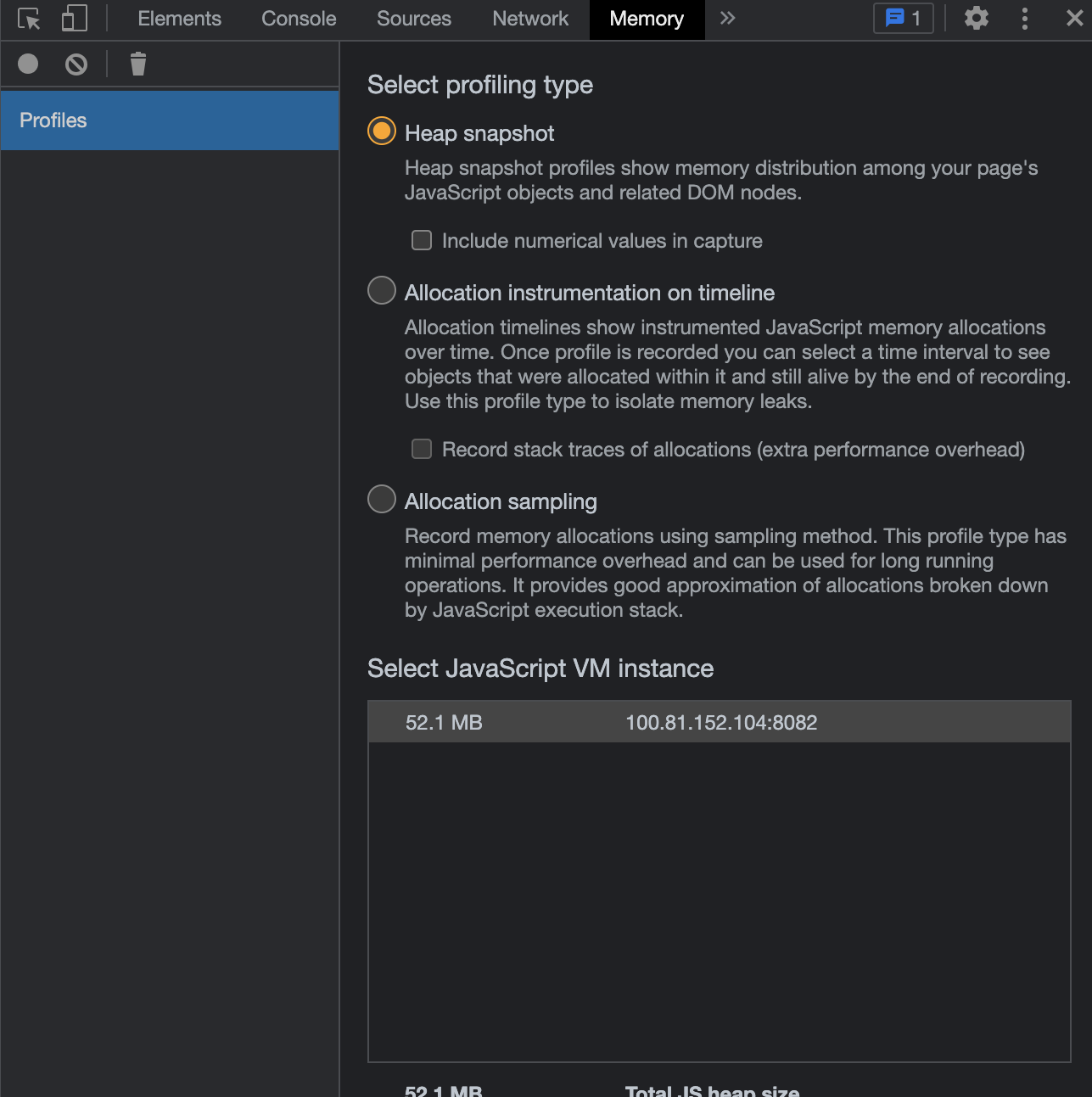
    1

  2. Go to the network request page of the browser. Check whether the frontend has sent network requests and whether the backend has responded to the request in the Pending state. If no network requests are in the Pending state and all existing network requests are normal, the frontend may hang.
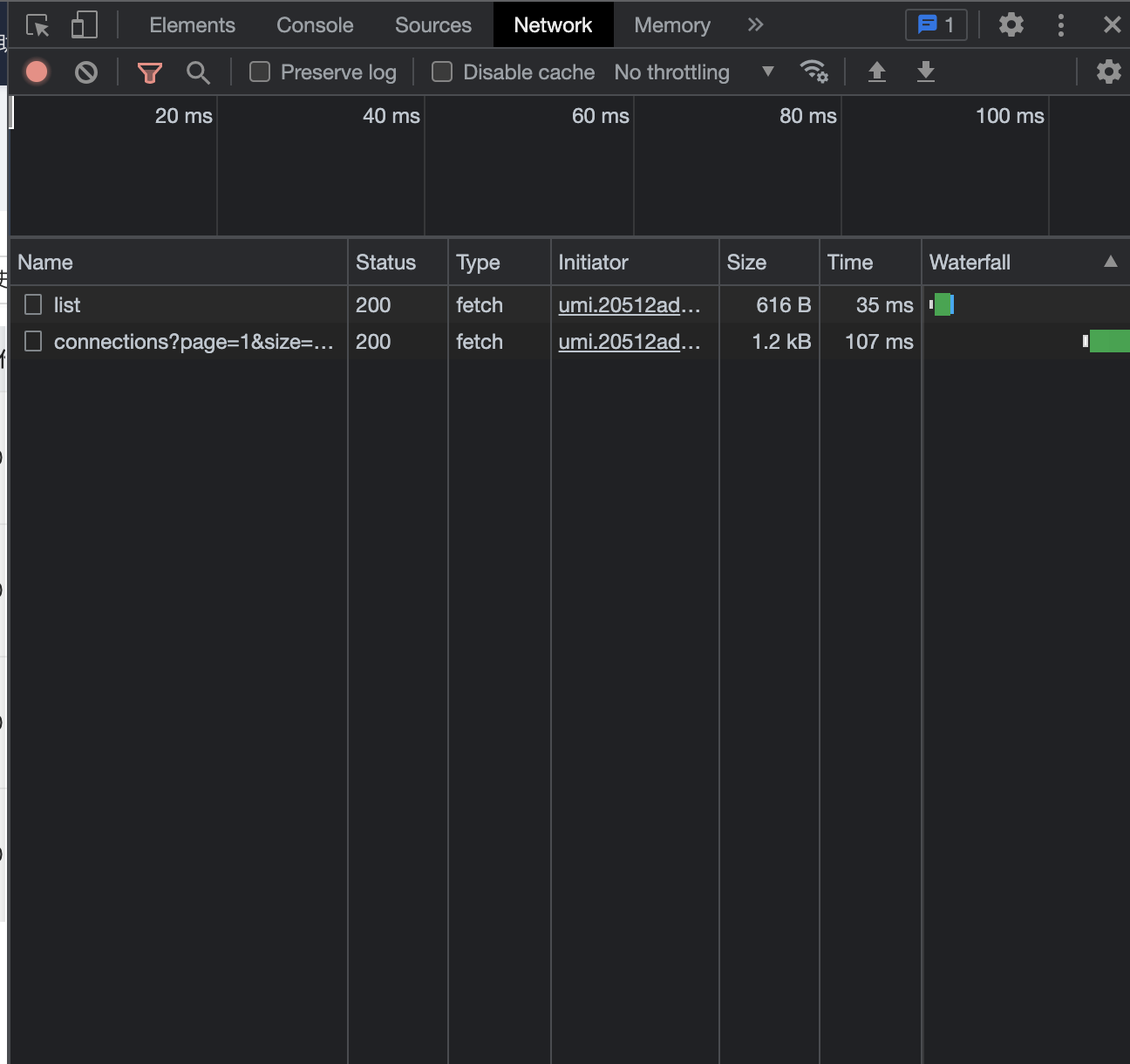
    2

  3. Check the output of the front-end console for errors. In normal cases, the console does not output an error message. If an error message is printed, the frontend may have an error. Contact OceanBase Technical Support and provide a screenshot of the error for troubleshooting.
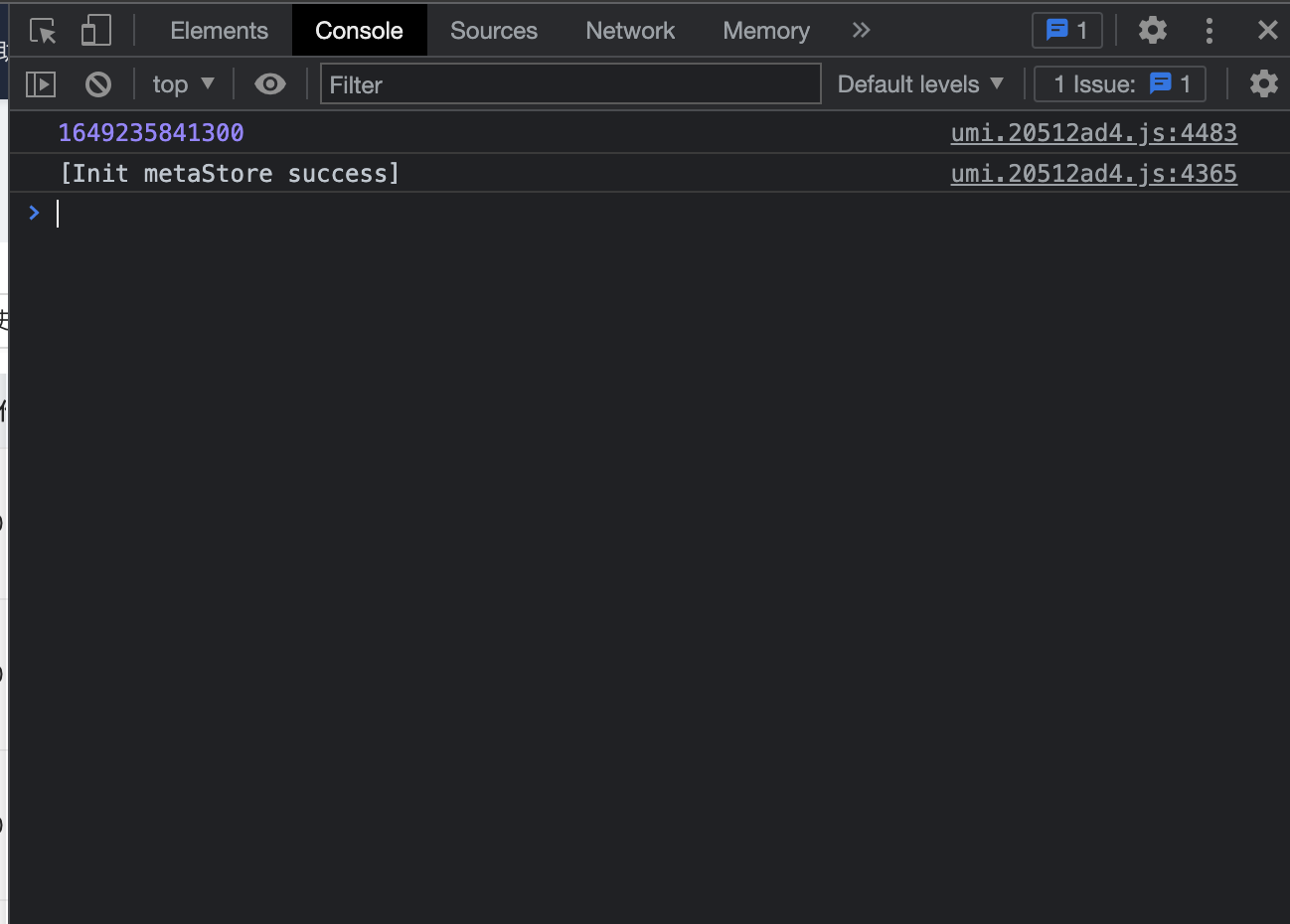
    3

  4. If the preceding solutions do not work, the issue may be caused by a backend issue.

    1. Refresh the page to check whether the issue persists.

    2. If the issue persists, check the backend.

Backend troubleshooting

Slow or no response on the frontend may be caused by a backend issue, which results in high interface RT.

  1. Check the ODC log odc.log for errors. If you find any errors, contact OceanBase Technical Support.

  2. If you do not find any particular error, use the curl command to perform a health check on ODC.

    • Here is the sample command:

      curl -XGET http://${ip}:${port}/api/v1/heartbeat/isHealthy
      
    • Here is the sample response from the backend:

      4

  3. If the call is stuck or an error occurs, the browser is stuck due to a backend issue. Contact OceanBase Technical Support and provide the odc.log file for troubleshooting.

Previous topic

JavaScript exception is thrown on the ODC page
Last

Next topic

White screen in ODC
Next
on this page
Symptom
Possible causes
Affected versions
Solutions
Troubleshoot frontend issues
Backend troubleshooting