
Log in to OceanBase Developer Center (ODC) and click the name of the target connection to go to the corresponding connection management page. You can click Program Package in the left-side navigation pane to get a list of program package objects in the current database.
In the program package list, you can view the structure tree of an object. You can also right-click the target object to perform some management actions on the object. You can also double-click the name of a program package to go to the program package page, which provides a Package Header tab and a Package Body tab.
Structure tree
You can click the Expand icon before the name of the target program package in the program package list. Then, the structure tree of the program package displayed in a drop-down list, as shown in the following figure. The structure tree of a program package can have up to six levels. When you right-click an item in the tree, the shortcut menu displays some actions that you can perform on the item. For more information about these actions, see the Management actions section, where you can find the table describing the management options.

Management actions
The names of program package objects support ascending order by the head character by default in the program package list.
Shortcut function
The following functions are provided in the upper right corner of the tree:
Action |
Description |
|---|---|
| Create | Click this option to create program package. |
| Filter | Click this option to display valid/invalid program packages. |
| Batch Compile | Click this option to batch compile the program package object. Including: compile all objects and compile invalid objects. 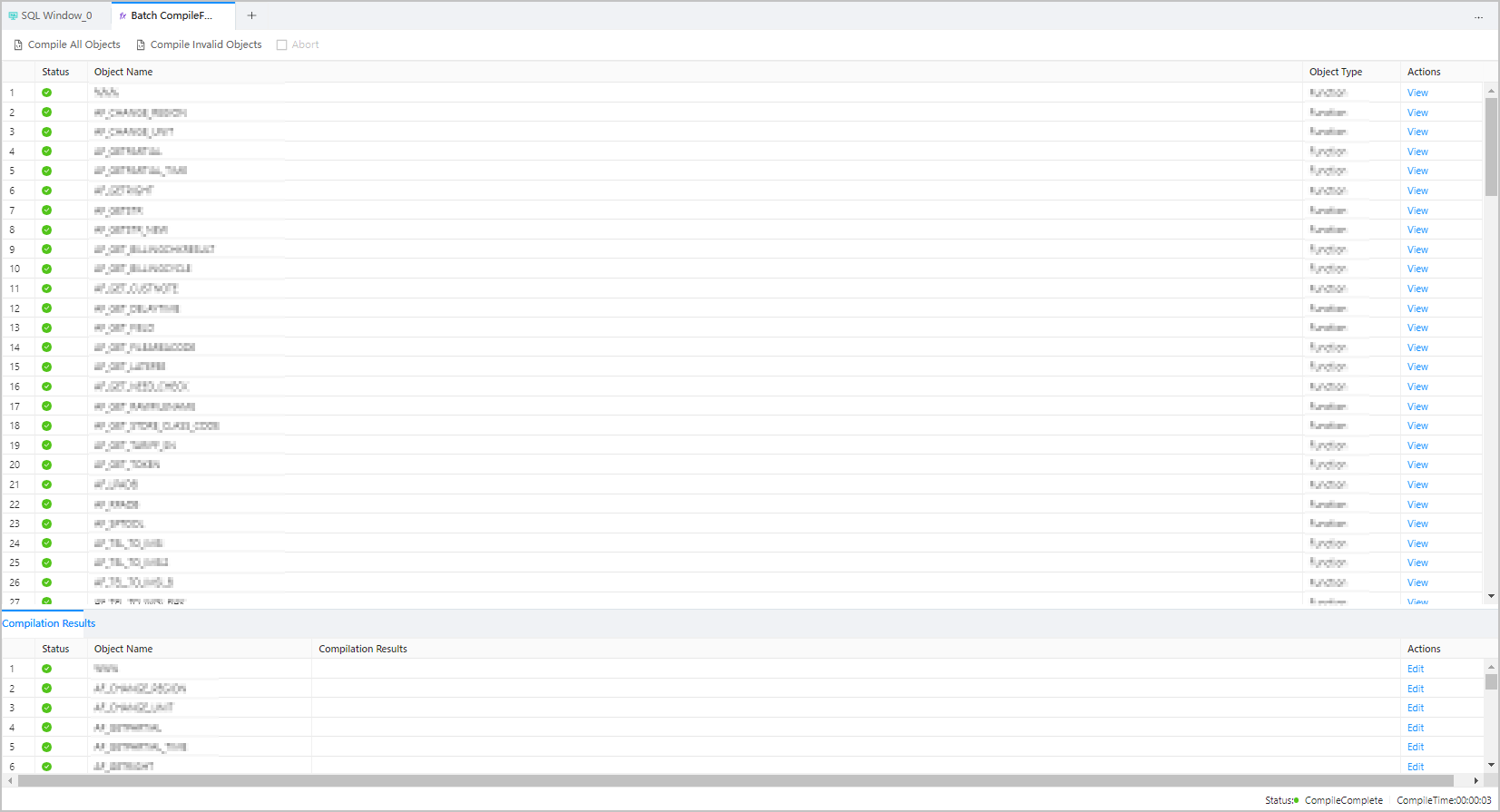 |
| Refresh | Click this option to refresh the structure tree after you perform management actions on the program package, so that the structure tree displays the latest information. |
Right-click function
Right-click the target object in the structure tree. A shortcut menu appears, displaying some management options provided by ODC for you to conveniently manage the target object. The following table describes the management options.
Action |
Description |
|---|---|
| Create Program Package | Click this option to go to the Create Program Package page, where you can create a program package header as prompted. |
| Create Package Body | Click this option to go to the package body definition page and create a program package body. |
| Edit the package header and package body | Click this option to open both the package header editing and package body editing pages, where you can edit the package header and the package body. |
| Delete | Click this option to delete the program package. |
| Refresh | Click this option to refresh the structure tree after you perform management actions on the program package, so that the structure tree displays the latest information. |
| View | Click this option to go to the Package Header tab or the Package Body tab, where you can view comprehensive information such as the basic information and code of the program package. |
| Edit | Click this option to go to the package header editing and package body editing pages, which display the package header and package body definition statements and where you can continue to edit the package header and the package body. |
| Compile | Click this option to compile the program package. |
| Debug | Click this option to go to the debugging page, where you can debug the program package. PL object debugging is supported only when OBServer V2.2.73 or a later version, or V3.0.00 or a later version is connected.
NoteODC V4.0.0 and later support setting the parameter value as DEFAULT, NULL or empty string. |
| Run | Click this option to run the stored procedure or function in a subprogram in the program package body. |
| Export | Export single table, see Export schemas and data. |
| Download | Download the SQL file for the program package object. |
| Delete | Click this option to delete the body of the program package. |
Package Header tab
On the program package management page, click the Package Header tab. The following information is displayed:
Section |
Description |
|---|---|
| Basic Information | This section displays the basic information about the program package in fields such as Package Name, Created By, Created At, and Last Modified At. |
| DDL | This section displays the code that defines the package header and provides the Edit, Download, Find, and Refresh buttons. You can click Edit to go to the package header editing page.
NoteClick the Edit icon to go to the PL object editing page. |
Package Body tab
On the program package management page, click the Package Body tab. The following information is displayed:
Section |
Description |
|---|---|
| Basic Information | This section displays the basic information about the package header in fields such as Package Name, Created By, Created At, and Last Modified At. |
| DDL | This section displays the script that defines the function and provides the Edit, Find, and Refresh icons.
NoteClick the Edit icon to go to the PL object editing page. |
Package header/body editing page

Right-click the target object in the program package list. In the shortcut menu that appears, click Edit to go to the program package editing page. The code area of the editing page displays statements that define the program package. You can edit the statements. In addition, the toolbar provides the following buttons:
Button |
Description |
|---|---|
| Confirm Modification | Click this button to apply the current modification. |
| Compile | Click this button to compile the statements on the current page. This button is available only on the package body editing page. |
| Abort | Click this button to abort the statement that is being executed. |
| Debug | Click this option to go to the debugging page, where you can debug the program package. PL object debugging is supported only when OBServer V2.2.70, V3.0.00, or a later version is connected. |
| Format | Click this button to apply the formatting, such as indentation, line break, and keyword highlighting, to the selected SQL statements or all the SQL statements in the current SQL window. |
| Find and Replace | You can enter text in the search field to find the specific content and enter text in the replacement field to replace the content found. |
| Undo | Click this button to undo the last operation. |
| Redo | Click this button to reverse an Undo operation. |
| Case Sensitivity | The system supports three configurations: All Uppercase, All Lowercase, and Capitalize First Letter. Click the corresponding button to convert the selected statements in the script to the corresponding capitalization format. |
| Indent | You can add indents to or delete indents from the statements that you selected. |
| Comment | You can click Add Comments to convert the statements that you select into comments or click Delete Comment to convert comments to SQL statements. |
| IN Value Conversion | Click this button to convert the copied rows or columns into the specified format during queries. After you paste the copied data to the SQL editing area, select the copied data and click IN Value Conversion to convert it into the in('A','B') format.
|