
ODC supports visualized type creation. This topic describes how to create a type with ODC.
Overview
A database type object specifies the name, method, and other attributes of a type.
OceanBase Developer Center (ODC) supports three types: object type, array type, and table type.
Object type: an abstract data type (ADT), which is an expression that encapsulates database objects, relationships between database objects, and basic operations on database objects.
Array type: a variable array, which is a collection similar to a nested table. A variable array is a collection of objects, where each object is of the same data type. The size of a variable array is determined when the array is created. The data type of a column in a table can be a variable-length multidimensional array. The type of the array can be any of the primitive types, the enumerated type, the composite type, or a user-defined type.
Table type: an independent nested table type. The created arrays are directly defined in the columns of the table.
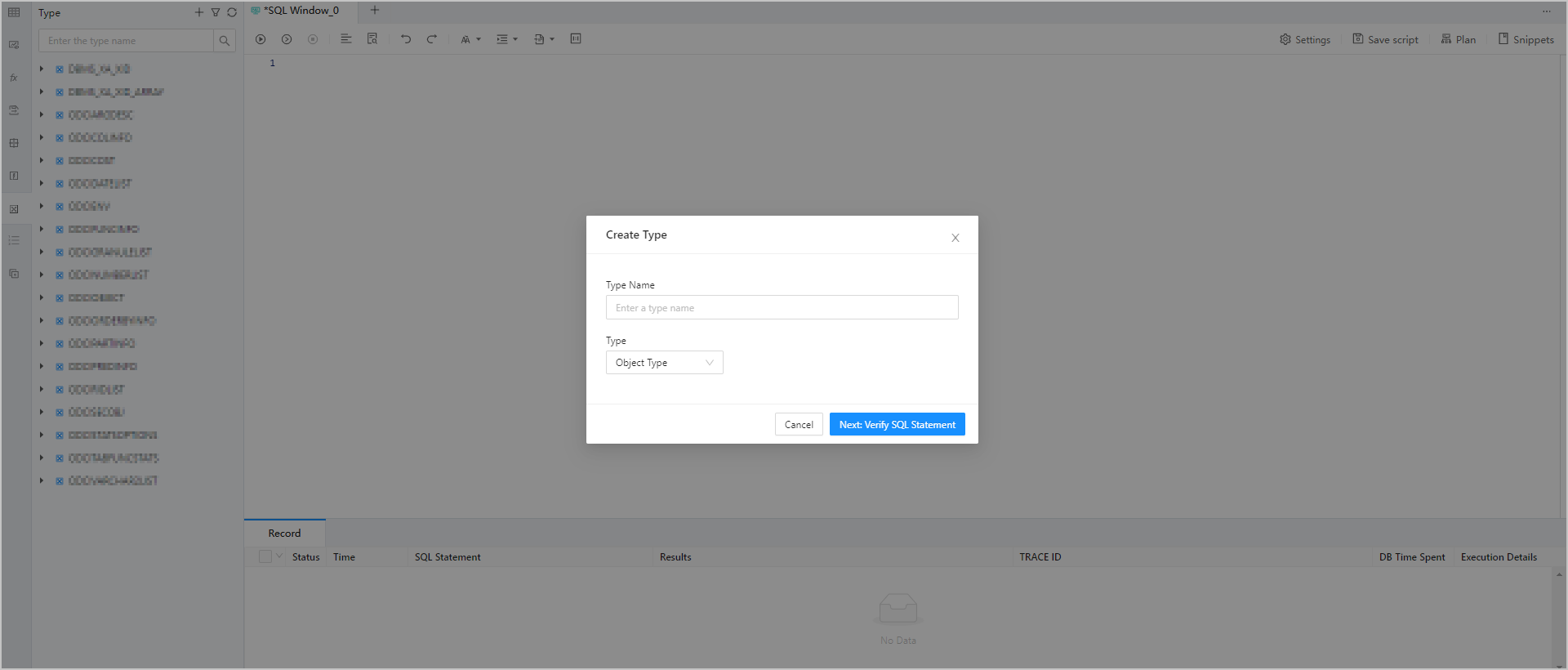
As shown in the preceding figure, you can create a type in the following four steps:.
- Specify the type name.
- Select a type object.
- Edit SQL statements.
- Complete the type creation.
Procedure
In the following example, the ob_var object type is created in the ODC console. The type contains two VARCHAR type parameters: var and var1. Procedure:
Step 1: Specify the name of the type.
Log on to the ODC console and click the name of the desired connection to go to the corresponding connection management page. You can click Type in the left-side navigation pane to get a list of types. To create a type, click + in the upper-right corner of the type list or click Create in the top navigation bar.
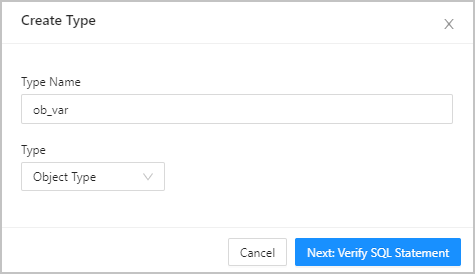
Step 2: Select a type object.
Type |
Description |
Example |
|---|---|---|
| Object Type | The ADT. Note Only the object type can contain a subprogram. |
CREATE OR REPLACE TYPE ob_var AS OBJECT( var varchar2(10), var1 varchar(10) ); |
| Array Type | The independent variable array (VARRAY) type. | CREATE OR REPLACE TYPE test AS VARRAY(20) of varchar2(20); |
| Table Type | The independent nested table type. | CREATE OR REPLACE TYPE test AS TABLE OF varchar2(100 BYTE); The AS TABLE OF clause allows you to create an array list<test>. |
Step 3: Edit SQL statements.

After you specify the information in Step 2, click Next: Verify SQL Statement to go to the statement editing page. This page displays the corresponding type definition statements generated based on the information you specified in the Create Type dialog box. You must complete the statements based on your needs. After you complete the statements, click Create in the upper-right corner to complete the type creation.
In addition, the toolbar on the editing page provides the following buttons.
Button |
Description |
|---|---|
| Format | Click this button to apply formatting, such as indentation, line break, and keyword highlighting, to the selected SQL statements or all the SQL statements in the current SQL window. |
| Find and Replace | Click this button and enter text in the search field to find the specific content and enter text in the replacement field to replace the content found. |
| Undo | Click this button to undo the last operation. |
| Redo | Click this button to reverse an Undo operation. |
| Case Sensitivity | The system supports three capitalization options: All Caps, All Lowercase, and Capitalize First Letter. Click the corresponding option to convert the selected statements in the script to the desired capitalization format. |
| Indent | You can add indents to or delete indents from the statements that you selected. |
| Comments | You can click Add Comments to convert the statements that you selected into comments or click Delete Comment to convert comments to SQL statements. |
| IN Value Conversion | A format such as A B can be converted to ('A','B') format. |
Step 4: Complete the type creation.
Click Create in the upper-right corner to create the type. After a user-defined type is created, you can use the INSERT key word to call it in a PL statement.

Note
To manage a type, right-click the type name in the left-side navigation pane, and select the required operation from the context menu, which provides the following options: View, Create, Delete, Download, and Refresh. For more information, see Manage types.
Example:
-- Create a table.
create table data_type (id number(10),name varchar2(50),age int,address varchar2(50),salary float);

-- Insert table data.
insert into data_type values(1,'baba',20,'hangzhou',3000.00);

-- Create a type.
create or replace type ob_var as object(
  var varchar2(10),
  var1 varchar(10)
);

delimiter /
-- Create a stored procedure.
create or replace procedure p_datatype is
begin
  declare
    rec data_type%rowtype;
    v_age rec.age%type;
    var varchar2(50);
    v_name var%type;
    v_salary data_type.salary%type;

-- Define a type.
    type salary is table of number index by varchar2(20);
    arr salary;
    v_arr arr%type;

    CURSOR c2 IS SELECT name, age FROM data_type;
    c_row c2%rowtype;
    v_rec c_row%type;

    ob ob_var;
    v_obj ob%type;

  begin
    v_name := 'ali ';
    v_age := 30;
    v_salary := 2000;
    dbms_output.put_line('Referenced item: variable, record, and table column name: ' || v_name  || ' * ' || v_age || ' * ' || v_salary);

    v_arr('James') := 78000;
    dbms_output.put_line('Referenced item: name of collection variable ' || v_arr.FIRST);

    open c2;
    fetch c2 into v_rec;
    dbms_output.put_line('Referenced item: name of cursor variable: ' || v_rec.name || ' * ' || v_rec.age);
    close c2;

    v_obj:=ob_var('test','object');
    dbms_output.put_line('Referenced item: name of object instance: ' || v_obj.var || ' * ' || v_obj.var1);
  end;
end;
/

begin
  p_datatype;
end;
/