
This topic describes how to use OceanBase Migration Service (OMS) to synchronize data from an IDB logical table to a DataHub instance.
Limitations
DDL synchronization applies only to BLOB topics.
The name of a table to be synchronized, as well as the names of columns in the table, must not contain Chinese characters.
The IDB must have a primary key logical table so that it can be synchronized to a DataHub instance.
Data source identifiers and user accounts must be globally unique in OMS.
OMS supports the synchronization of only objects whose database name, table name, and column name are ASCII-encoded and do not contain special characters. The special characters are line breaks, spaces, and the following characters:
. | " ' ` ( ) = ; / & \.
Considerations
If the clocks between nodes or between the client and the server are out of synchronization, the latency may be inaccurate during incremental synchronization.
For example, if the clock is earlier than the standard time, the latency can be negative. If the clock is later than the standard time, the latency can be positive.
When data transmission is resumed for a task, some data (transmitted within the last minute) may be duplicated in the DataHub instance. Therefore, deduplication is required in downstream systems.
If you select only Incremental Synchronization when you create a data synchronization task, OMS requires that the local incremental logs in the source database be retained for more than 48 hours.
* If you select Full Synchronization and Incremental Synchronization when you create the data synchronization task, OMS requires that the local incremental logs of the source database be retained for at least 7 days. Otherwise, the data synchronization task may fail or the data in the source and target databases may be inconsistent because OMS cannot obtain incremental logs.
Supported DDL operations for synchronization
CREATE TABLECREATE INDEXDROP INDEXTRUNCATE
Procedure
Create a data synchronization task.
Log in to the OMS console.
In the left-side navigation pane, click Data Synchronization.
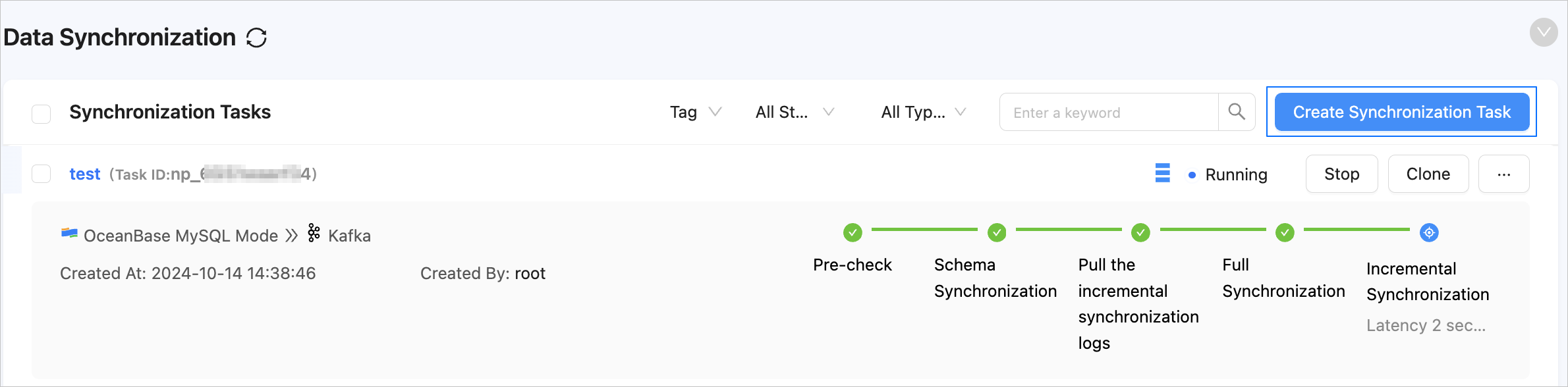
On the Data Synchronization page, click Create Synchronization Task in the upper-right corner.
On the Select Source and Target page, configure the parameters.
ParameterDescriptionTask Name We recommend that you set it to a combination of digits and letters. It must not contain any spaces and cannot exceed 64 characters in length. Source If you have created an IDB data source, select it from the drop-down list. Otherwise, click New Data Source in the drop-down list and create one in the dialog box that appears on the right. For more information, see Create an IDB data source. Target If you have created a DataHub data source, select it from the drop-down list. Otherwise, click New Data Source in the drop-down list and create one in the dialog box that appears on the right. For more information about the parameters, see Create a DataHub data source. Tag Click the field and select a tag from the drop-down list. This parameter is optional. You can also click Manage Tags to create, modify, and delete tags. For more information, see Use tags to manage data synchronization tasks. Click Next. On the Select Synchronization Type page, specify the synchronization types for the current data synchronization task.
The supported synchronization types are Schema Synchronization, Full Synchronization, and Incremental Synchronization. Schema Synchronization creates a topic. Incremental Synchronization supports the DML Synchronization and DDL Synchronization options. The supported DML operations are
INSERT,DELETE, andUPDATE. Select the options based on your business needs. For more information, see Configure DDL/DML synchronization.Notice
If you select DDL Synchronization here, you can select only topics of the BLOB type on the Select Synchronization Objects page.
Click Next. On the Select Synchronization Objects page, select the target topic type and objects.
Available topic types are Tuple and BLOB. Tuple topics do not support DDL synchronization but support records similar to database records. Each record contains multiple columns. BLOB topics only support a binary block as a record. Data is Base64-encoded for transmission. For more information, visit the documentation center of DataHub.
After you select the topic type for synchronization, perform the following operations:
Enter the global unique ID (GUID) in the GUID field.
In the left-side pane, select the objects to be synchronized.
Click >.
Select a mapping method.
Notice
When you set the topic type to Tuple without selecting Schema Synchronization, you can only synchronize a single table to a single topic.
To synchronize one Tuple table or one or more BLOB tables, select the required mapping method and click OK in the Map Object to Topic dialog box.
If you did not select Schema Synchronization as the synchronization type, you can select only Existing Topics here. If you have selected Schema Synchronization when you specify the synchronization type, you can select only one mapping method to create or select a topic.
For example, if you have selected Schema Synchronization, when you use both the Create Topic and Select Topic mapping methods or rename the topic, a precheck error will be returned due to option conflicts.
ParameterDescriptionCreate Topic Enter the name of the new topic in the text box. The topic name can contain letters, digits, and underscores (_) and must start with a letter. It must not exceed 128 characters in length. Select Topic OMS allows you to query DataHub topics. You can click Select Topic, and then find and select a topic for synchronization from the Existing Topics drop-down list. You can also enter the name of an existing topic and select it after it appears. Batch Generate Topics The format for generating topics in batches is Topic_${Database Name}_${Table Name}.If you select Create Topic or Batch Generate Topics, after the schema migration succeeds, you can query the created topics on the DataHub side. By default, the number of data shards is 2 and the data expiration time is 7 days. These parameters cannot be modified. If the topics do not meet your business needs, you can create topics in the target database as needed.
To synchronize multiple Tuple tables, click OK in the dialog box that appears.
If you have selected a Tuple topic and multiple tables without selecting Schema Synchronization, you must select an existing topic and click OK in the Map Object to Topic dialog box.
Click OK.
OMS allows you to change the topic, set sharding columns, and remove a single object or all objects. Objects in the target database are listed in the structure of Topic > Database > Table.
OperationDescriptionChange topics When the topic type is set to BLOB, you can change the topic for objects in the target database. For more information, see Change the topic. Configure settings - In the list on the right, move the pointer over the object that you want to set.
- Click Settings.
- In the Settings dialog box, click Sharding Columns and select the sharding columns that you want to use from the drop-down list. You can select multiple fields as sharding columns. This parameter is optional.
Unless otherwise specified, select the primary key as sharding columns. If the primary keys are not load-balanced, select load-balanced fields with unique identifiers as sharding columns to avoid potential performance issues. Sharding columns can be used for the following purposes:- Load balancing: Threads used for sending messages can be recognized based on the sharding columns if the target table supports concurrent writes.
- Orderliness: OMS ensures that messages are received in order if the values of the sharding columns are the same. The orderliness specifies the sequence of executing DML statements for a column.
- Click OK.
Remove one or all objects OMS allows you to remove a single object or all objects to be synchronized to the target database during data mapping. - Remove a single synchronization object
In the list on the right, move the pointer over the object that you want to remove, and click Remove to remove the synchronization object. - Remove all synchronization objects
In the list on the right, click Remove All in the upper-right corner. In the dialog box that appears, click OK to remove all synchronization objects.
Click Next. On the Synchronization Options page, configure the following parameters.
Full synchronization
The following parameters are displayed only if you have selected Full Synchronization on the Select Synchronization Type page.
ParameterDescriptionFull Synchronization Rate Limit You can choose whether to limit the full synchronization rate as needed. If you choose to limit the full synchronization rate, you must specify the records per second (RPS) and bytes per second (BPS). The RPS specifies the maximum number of data rows synchronized to the target database per second during full synchronization, and the BPS specifies the maximum amount of data in bytes synchronized to the target database per second during full synchronization. Note
The RPS and BPS values specified here are only for throttling. The actual full synchronization performance is subject to factors such as the settings of the source and target databases and the instance specifications.
Full Synchronization Resource Configuration You can select Small, Medium, or Large to use the corresponding default values of Read Concurrency, Write Concurrency, and Memory. You can also customize the resource configurations for full synchronization. By setting the resource configuration for the Full-Import component, you can limit the resource consumption of a task in the full synchronization phase. Notice
In the case of custom configurations, the minimum value is
1, and only integers are supported.Incremental synchronization
The following parameters are displayed only if you have selected Incremental Synchronization on the Select Synchronization Type page.
ParameterDescriptionIncremental Synchronization Rate Limit You can choose whether to limit the incremental synchronization rate as needed. If you choose to limit the incremental synchronization rate, you must specify the RPS and BPS. The RPS specifies the maximum number of data rows synchronized to the target database per second during incremental synchronization, and the BPS specifies the maximum amount of data in bytes synchronized to the target database per second during incremental synchronization. Note
The RPS and BPS values specified here are only for throttling. The actual incremental synchronization performance is subject to factors such as the settings of the source and target databases and the instance specifications.
Incremental Log Pull Resource Configuration You can select Small, Medium, or Large to use the corresponding default value of Memory. You can also customize the resource configurations for incremental log pull. By setting the resource configuration for the Store component, you can limit the resource consumption of a task in log pull in the incremental synchronization phase. Notice
In the case of custom configurations, the minimum value is
1, and only integers are supported.Incremental Data Write Resource Configuration You can select Small, Medium, or Large to use the corresponding default values of Write Concurrency and Memory. You can also customize the resource configurations for incremental data write. By setting the resource configuration for the Incr-Sync component, you can limit the resource consumption of a task in data writes in the incremental synchronization phase. Notice
In the case of custom configurations, the minimum value is
1, and only integers are supported.Incremental Record Retention Time The duration that incremental parsed files are cached in OMS. A longer retention period results in more disk space occupied by the Store component. Incremental Synchronization Start Timestamp - If you have selected Full Synchronization as the synchronization type, the default value of this parameter is the task startup time and cannot be modified.
- If you did not select Full Synchronization as the synchronization type, set this parameter to a certain point of time, which is the current system time by default. For more information, see Set an incremental synchronization timestamp.
Advanced options
ParameterDescriptionSerialization Method The message format for synchronizing data to a DataHub instance. Valid values: Default, Canal, Dataworks (version 2.0 supported), SharePlex, and DefaultExtendColumnType. For more information, see Data formats.
Notice
This parameter is available only when the topic type is set to BLOB on the Select Synchronization Type page.Partitioning Rules The rule for synchronizing data from the source database to a DataHub topic. Valid values: Hash and Table. We recommend that you select Table to ensure DDL and DML consumption consistency when downstream applications are consuming messages. - Hash indicates that OMS uses a hash algorithm to select the shard of a DataHub topic based on the value of the primary key or sharding column.
- Table indicates that OMS delivers all data in a table to the same partition and uses the table name as the hash key.
Notice
If you select DDL Synchronization on the Select Synchronization Type page, the partitioning rule can be set only to Table.
Business System Identification (Optional) Identifies the source business system of data. This parameter is displayed only when Serialization Method is set to Dataworks. The business system identifier consists of 1 to 20 characters.
If the parameter settings on the page cannot meet your requirements, you can click Parameter Configuration in the lower part of the page to configure more specific settings. You can also reference an existing task or component template.

Click Precheck.
If an error is returned during the precheck, you can perform the following operations:
Identify and troubleshoot the problem and then perform the precheck again.
Click Skip in the Actions column of a failed precheck item. In the dialog box that prompts the consequences of the operation, click OK.
Click Start Task. If you do not need to start the task now, click Save to go to the details page of the task. You can start the task later as needed.
OMS allows you to modify the synchronization objects when the data synchronization task is running. For more information, see View and modify synchronization objects. After the data synchronization task is started, it will be executed based on the selected synchronization types. For more information, see the View synchronization details section in the View details of a data synchronization task topic.
If the data synchronization task encounters an execution exception due to a network failure or slow startup of processes, you can click Recover on the Synchronization Tasks or Details page of the synchronization task.